Free software architecture diagram tools compared
What each free tool is good at, where it falls short, and how to choose.
There is no single best tool for architecture diagrams. The right one depends on whether you think in pictures or in text, whether you need real-time collaboration, and how much you care about where your diagrams are stored.
This guide compares widely used free options. We make ArchBoard, so we have tried to be fair about where other tools are the better choice. Features and plans change, so check each tool's site for current details.
The short version#
| Tool | Style | Account needed | Best for |
|---|---|---|---|
| ArchBoard | Visual editor with technology icons | No | Quick, private architecture diagrams with real tech logos |
| draw.io (diagrams.net) | Visual, general-purpose diagramming | No | Every kind of diagram, with very large shape libraries |
| Excalidraw | Hand-drawn whiteboard | No | Sketching and live brainstorming |
| Mermaid | Diagrams as code (text) | No | Diagrams in Markdown, rendered by GitHub, GitLab and many docs tools |
| PlantUML | Diagrams as code (text) | No | UML and C4 diagrams generated from text |
| Structurizr | C4 models as code | Depends on edition | Teams that want one C4 model rendered into many views |
ArchBoard#
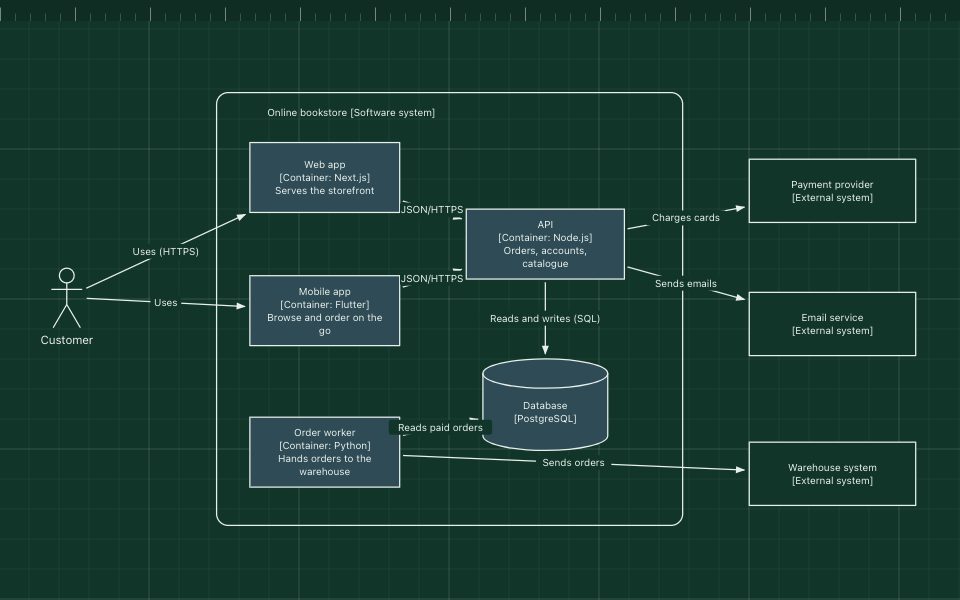
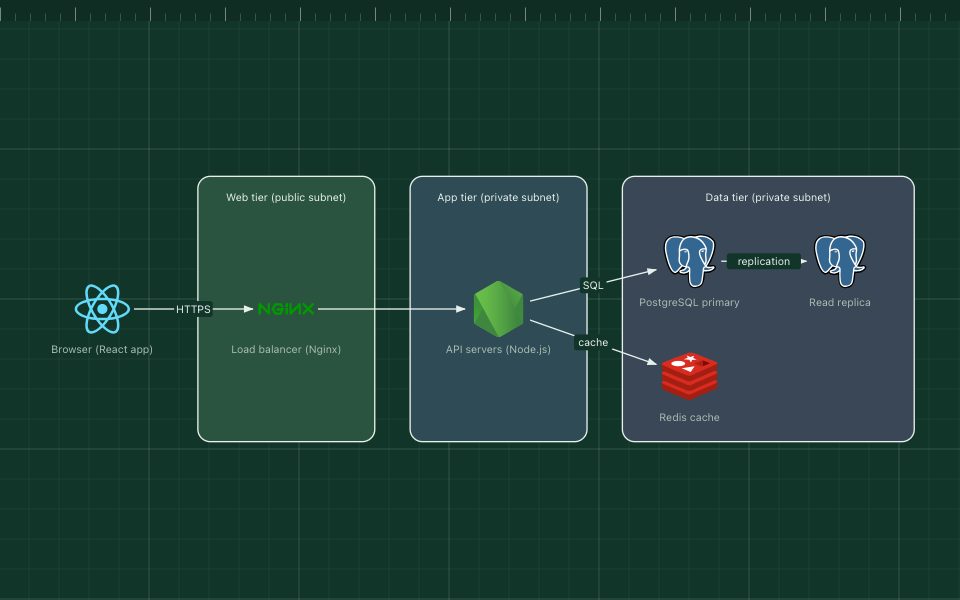
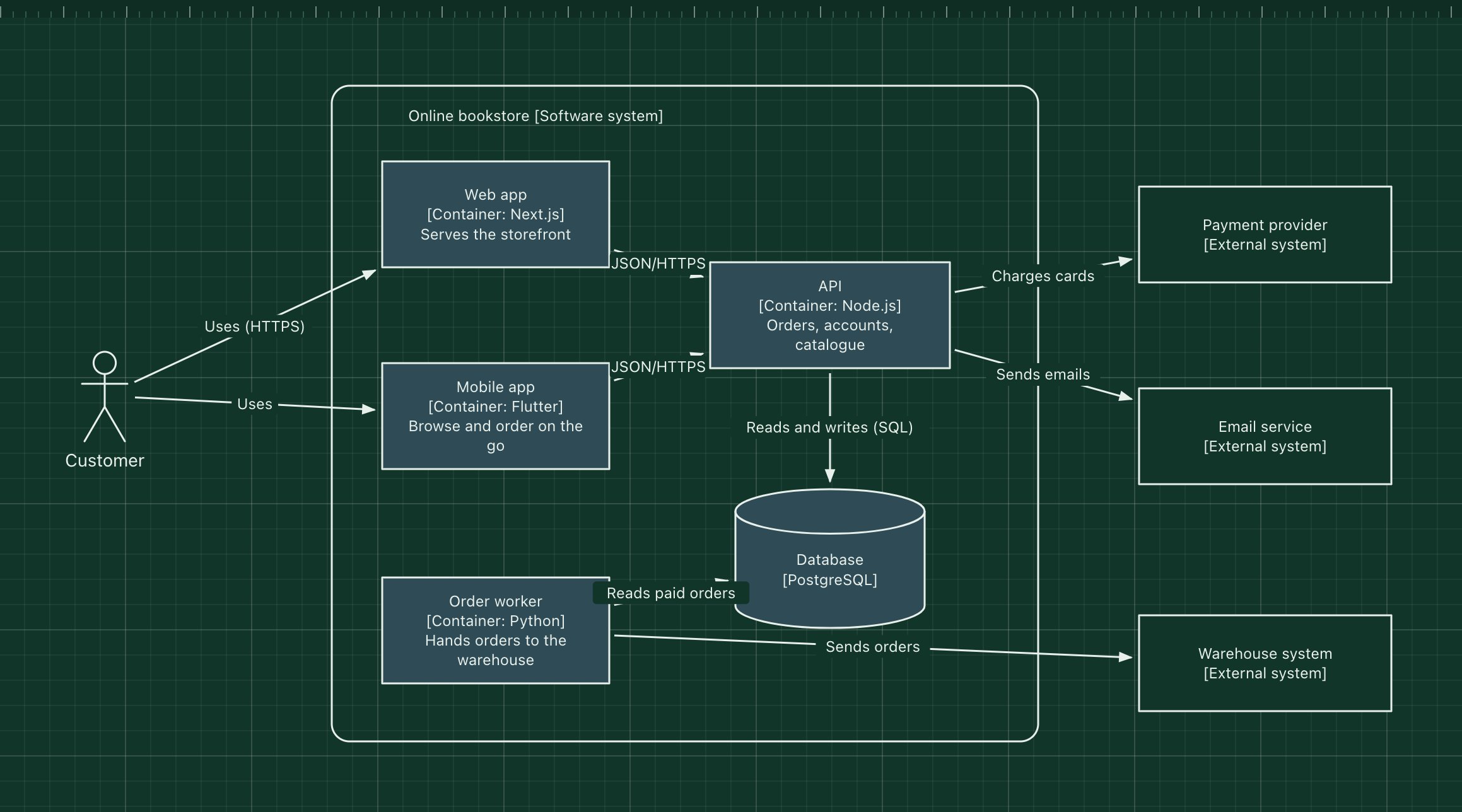
ArchBoard is a free, browser-based editor built specifically for software architecture diagrams. It has 657 technology icons from the open-source Devicon project built in, ready-made architecture templates, and arrows that stay attached when you move things.
Its main difference is privacy: there are no accounts, diagrams are stored in your browser, and share links carry the whole diagram in the part of the URL that is never sent to a server. After the first visit it works offline.
Where it falls short: no real-time collaboration (a share link gives each person their own copy), no diagrams-as-code import yet, and it focuses on architecture rather than every diagram type. If you need UML sequence diagrams or org charts, use one of the tools below.
draw.io (diagrams.net)#
draw.io is the most complete free diagramming tool available. It handles flowcharts, network diagrams, UML, cloud architecture and much more, with extensive shape libraries, including official-style icon sets for the major cloud providers. It is open source, runs in the browser without an account, and has desktop apps. You choose where files are saved, such as your device or a cloud drive.
Choose it when you need many diagram types in one tool, or precise control over layout and styling. The trade-off is that its breadth makes it slower to get to a clean architecture diagram than a focused tool.
Excalidraw#
Excalidraw is an open-source virtual whiteboard with a distinctive hand-drawn look. It is very fast to use, has community libraries of shapes, and supports live collaboration sessions.
Choose it when you are sketching ideas, running a design discussion or want an informal look. The trade-off is that the hand-drawn style reads as a draft, which is a feature for brainstorming but less suited to long-lived documentation.
Mermaid#
Mermaid turns text into diagrams. GitHub, GitLab and many documentation tools render Mermaid code blocks directly, so a diagram can live in a README and be reviewed like code. It supports flowcharts, sequence diagrams and several other types, including a newer architecture diagram type.
Choose it when your diagrams belong in Markdown and change with the code. The trade-off is limited layout control: the renderer decides where things go, which gets harder to manage as diagrams grow.
PlantUML#
PlantUML is a long-standing text-to-diagram tool, strong on UML (sequence, class, component diagrams). With the open-source C4-PlantUML extension it is a popular way to write C4 diagrams as code.
Choose it when you want UML or C4 diagrams generated from text in your build or docs pipeline. The trade-off is the syntax to learn, and rendering needs a PlantUML server or a local Java setup.
Structurizr#
Structurizr, from the creator of the C4 model, lets you describe your architecture once as a model, in a text DSL, and generate many consistent views from it: context, containers, components and deployment.
Choose it when a team wants one source of truth for C4 diagrams across many systems. The trade-off is that it asks for more upfront modelling than drawing a quick diagram. Check its site for the current free and paid editions.
How to choose#
- You want a clean architecture diagram in five minutes, with real logos, without signing up: ArchBoard, or draw.io if you also need other diagram types.
- You are brainstorming with others in real time: Excalidraw.
- The diagram should live in the repo and be reviewed in pull requests: Mermaid, PlantUML or Structurizr.
- You need to keep the diagram private: pick a tool that stores files where you control them. ArchBoard, draw.io with local files, and the text-based tools all qualify.
Many teams combine two: a visual editor for design sessions and explanations, and diagrams as code for the long-lived model.
Try ArchBoard#
Open the editor or start from one of the templates. No account, nothing to install, and your diagram stays on your device.