CQRS (command query responsibility segregation)
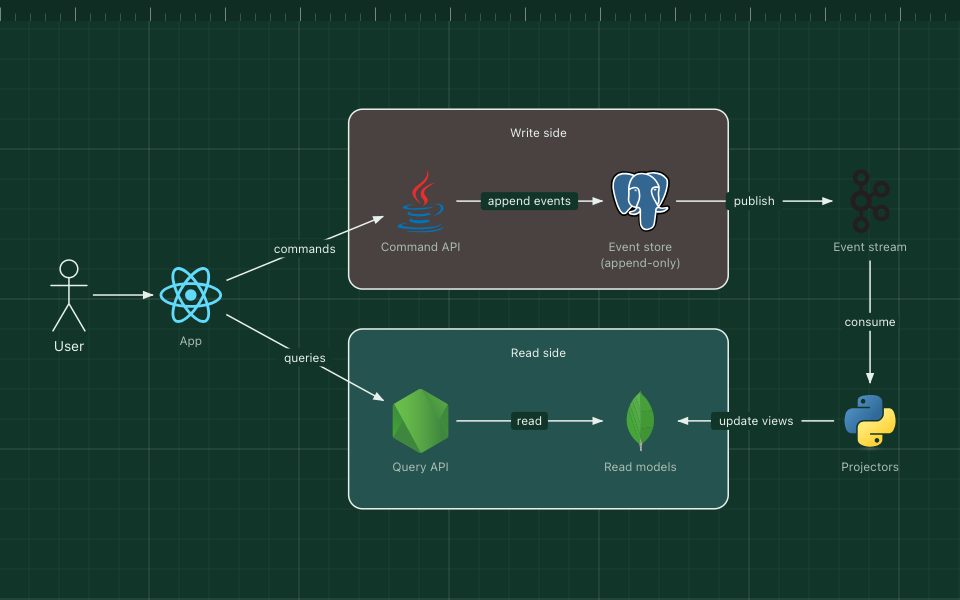
Writes and reads take different paths, each with a model built for its job.
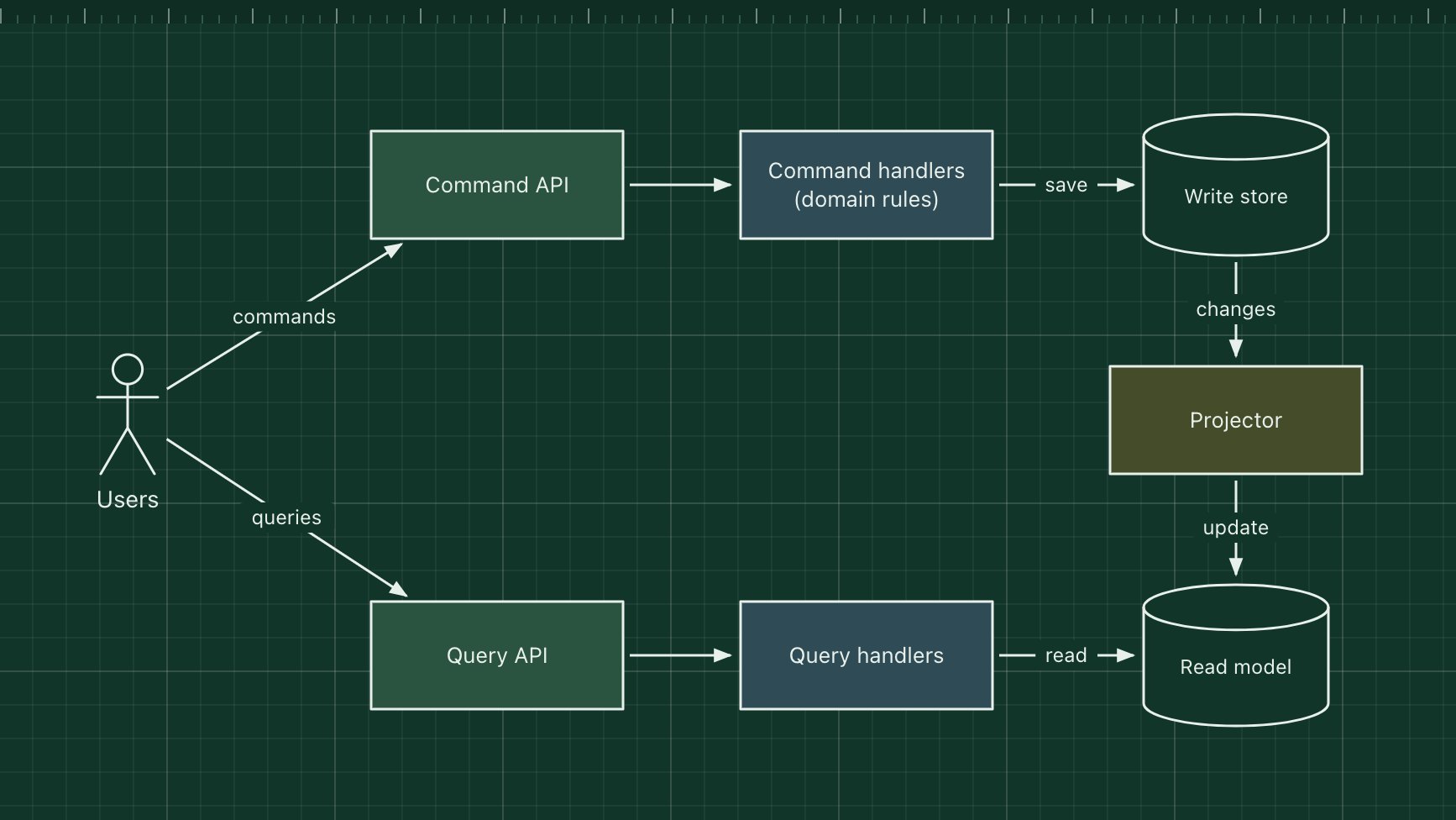
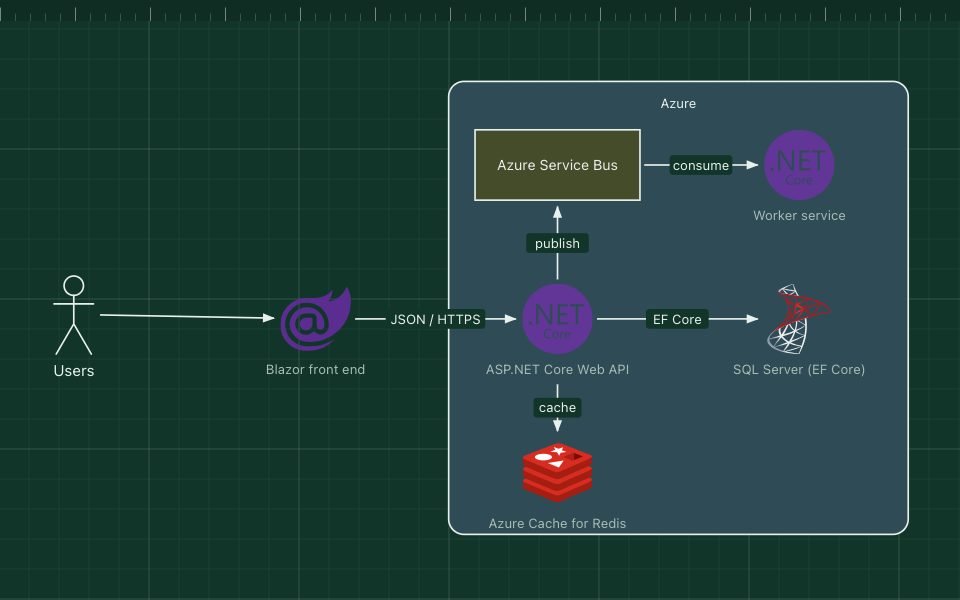
CQRS separates the code that changes data (commands) from the code that reads it (queries). Commands go through a model that enforces the business rules; queries read from one or more read models shaped for the screens that use them. The read models are updated from the changes on the write side, often asynchronously.
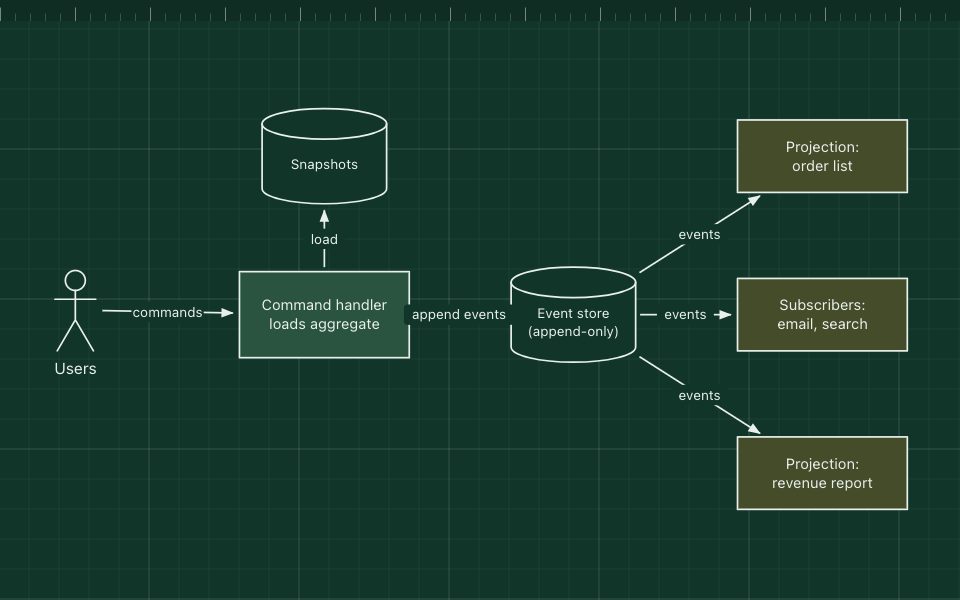
It helps when reads and writes have very different shapes or loads, for example a complex ordering workflow on one side and fast, denormalised search and dashboards on the other. It is often combined with event sourcing, but either can be used alone.
The parts of the pattern
- Command side
- An API and handlers that validate commands such as PlaceOrder and apply the domain rules.
- Write store
- The normalised source of truth for the command side.
- Projector
- Turns changes on the write side into updates of the read model.
- Read model
- Denormalised tables, a search index or a cache, built for fast queries.
- Query side
- Simple handlers that read the read model. No business rules.
How it works
- A user sends PlaceOrder to the command API.
- The handler checks the rules and saves the order to the write store.
- The projector picks up the change and updates the "my orders" read model.
- When the user opens their order list, the query API reads that read model directly.
- Because the projection is asynchronous, the list may lag the write by a moment.
When to use it, and when not to
Good fit
- Read and write workloads that differ a lot in shape or scale.
- Complex domain logic on writes, with many different views of the same data.
- Event-sourced systems, which need read models anyway.
Think twice
- Simple CRUD, where one model serves both sides well.
- Users who must always see their own write immediately and you cannot design around the lag.
- Teams that cannot afford the extra moving parts: two models, projections and their failures.
Edit this diagram
Click Open the diagram in the editor to get your own copy, saved in your browser. Rename the boxes to match your system, swap the generic boxes for technology icons from the palette, then export a PNG, SVG or PDF, or share a link. No sign-up.