ASP.NET Core stack architecture
C# from front end to back end: Blazor, ASP.NET Core, EF Core and SQL Server, usually on Azure.
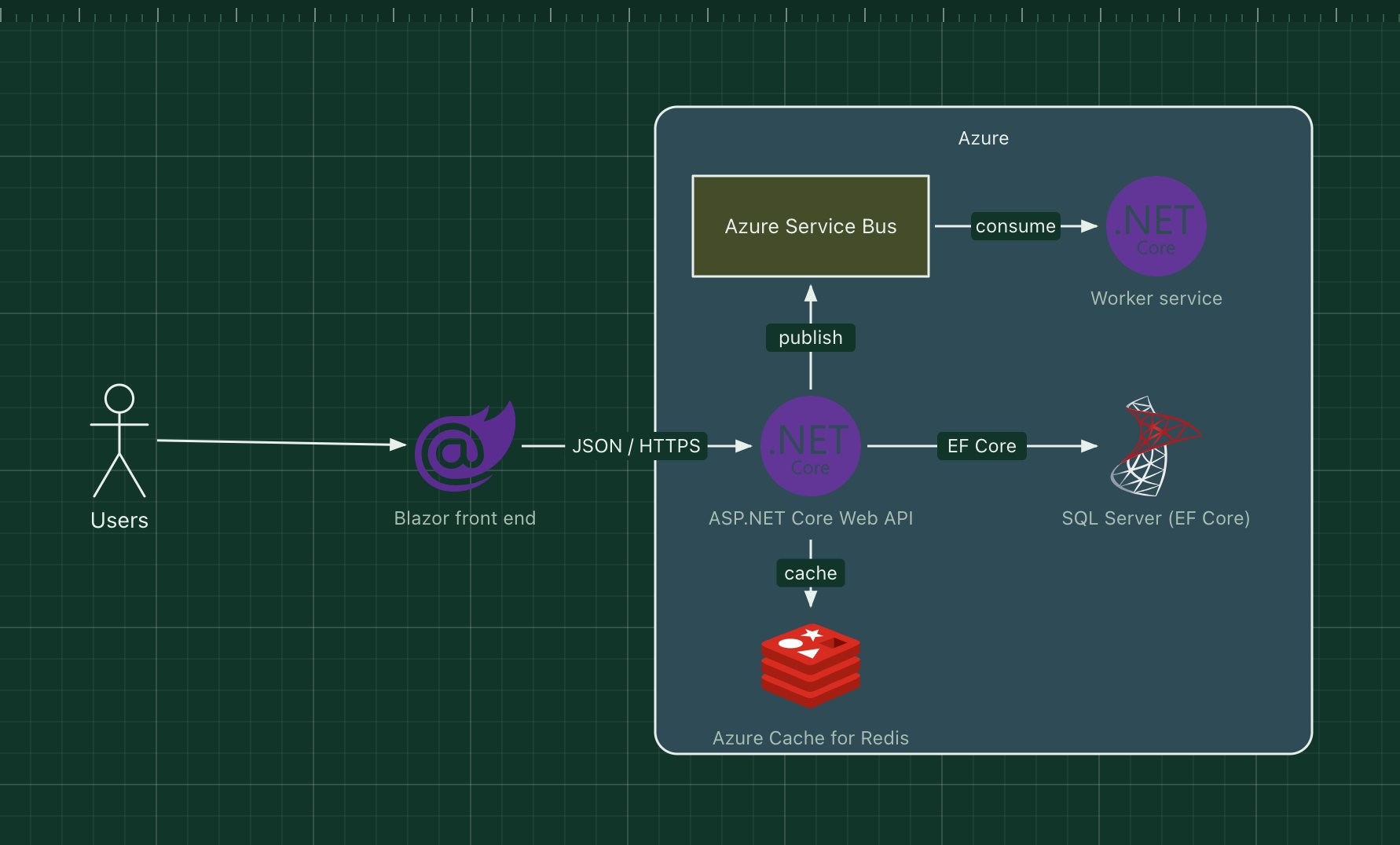
The ASP.NET Core stack builds web applications in C# on .NET. ASP.NET Core serves the API (or server-rendered pages), Entity Framework Core maps C# classes to SQL Server or PostgreSQL, and the front end is either Blazor, which also runs C#, or a JavaScript framework. It runs on Windows, Linux and containers, and is most often deployed to Azure.
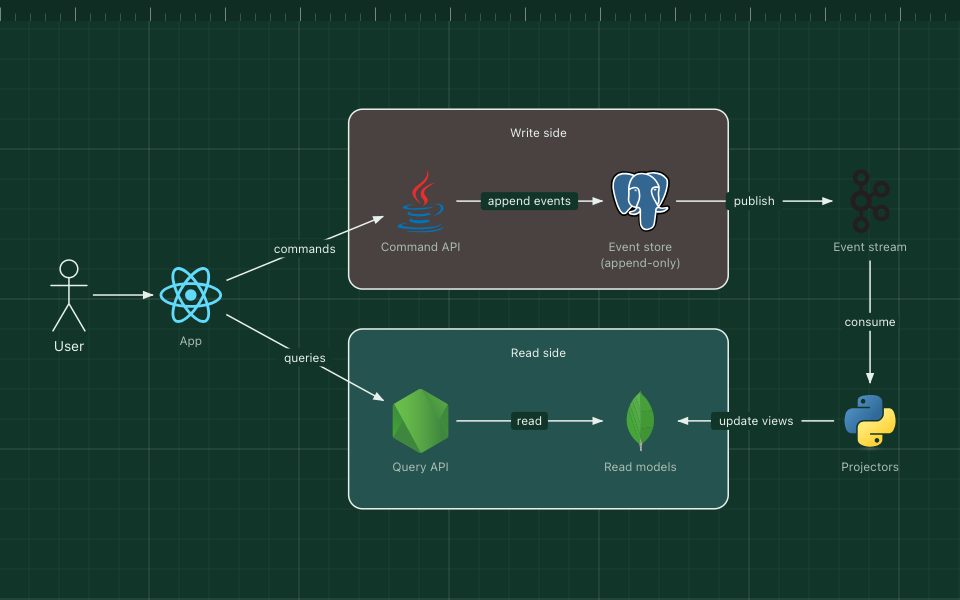
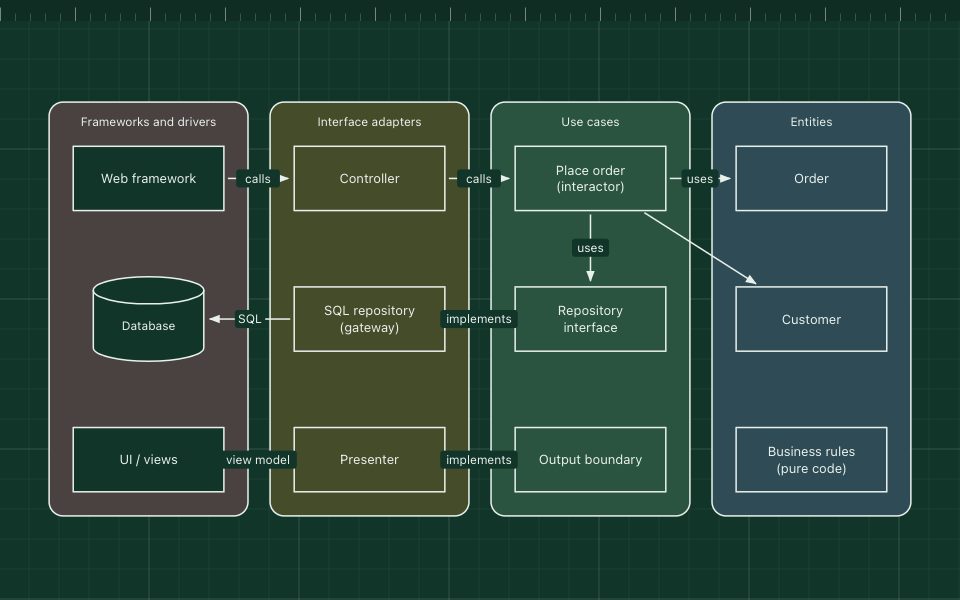
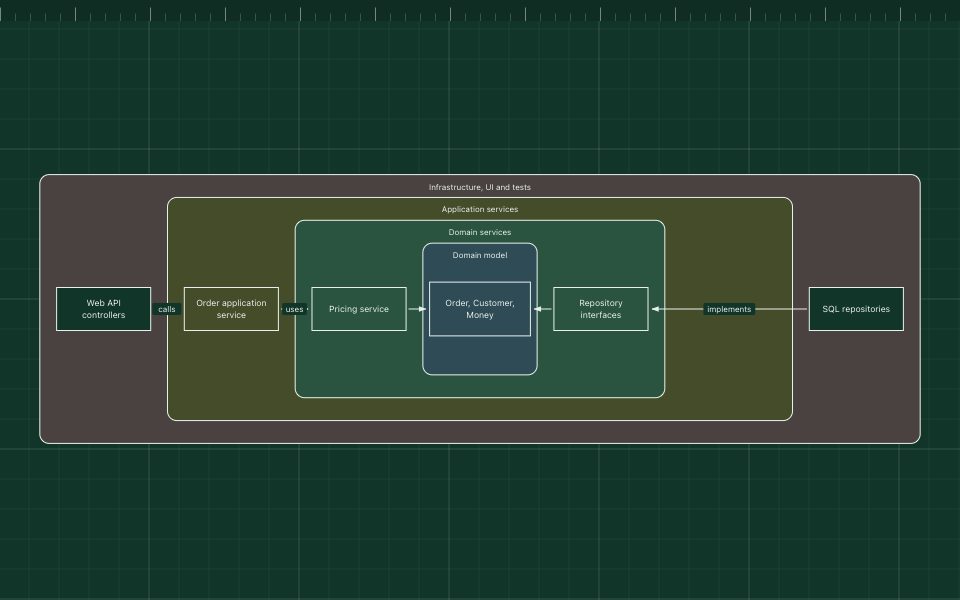
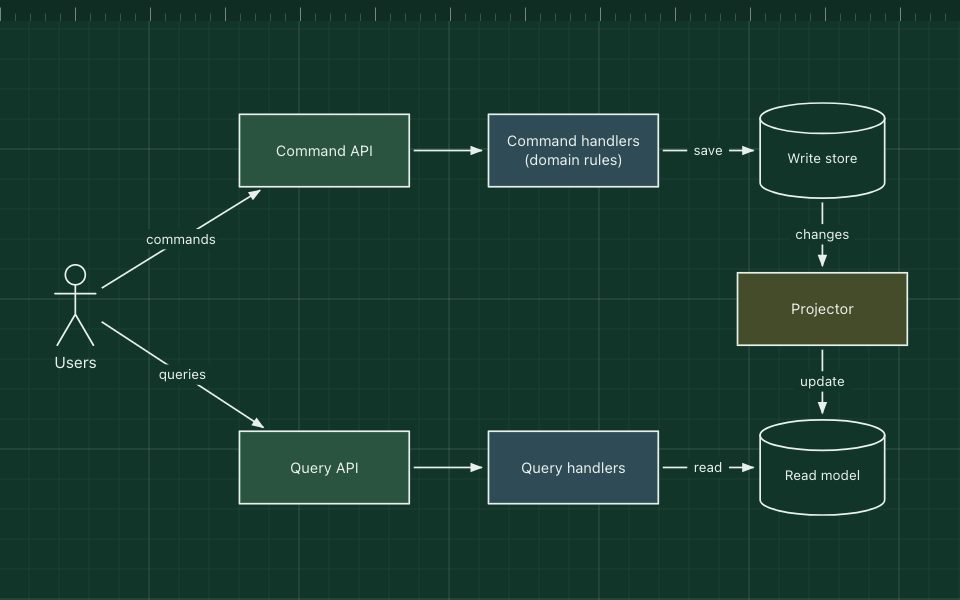
For background work, .NET worker services consume messages from Azure Service Bus or RabbitMQ. Many teams structure the solution with clean or onion architecture and MediatR for CQRS-style commands and queries.
What the stack is made of
- Blazor
- C# components that run in the browser (WebAssembly) or on the server.
- ASP.NET Core Web API
- Controllers or minimal APIs, with built-in dependency injection, configuration and authentication.
- Entity Framework Core
- The ORM, with LINQ queries and migrations.
- SQL Server
- The usual database, often Azure SQL Database.
- Azure Service Bus and a worker service
- Queues and topics for background processing.
- Azure Cache for Redis
- A distributed cache and session store.
How a request flows through it
- The Blazor app calls the Web API with a token from Microsoft Entra ID.
- ASP.NET Core authenticates the request and runs the handler.
- The handler reads cached data from Redis or queries SQL Server through EF Core.
- Slow work is published to Service Bus, where the worker service picks it up.
When to use it, and when not to
Good fit
- Teams with C# skills, or organisations standardised on Microsoft and Azure.
- Line-of-business and enterprise apps that need strong tooling and long-term support.
- High-throughput APIs: ASP.NET Core is among the fastest mainstream web frameworks.
Think twice
- A team that knows a different ecosystem well and has no reason to switch.
- Blazor WebAssembly for public pages that must load instantly on slow phones (its download is larger).
Edit this diagram
Click Open the diagram in the editor to get your own copy, saved in your browser. Rename the boxes to match your system, swap any technology for the one you use from the icon palette, then export a PNG, SVG or PDF, or share a link. No sign-up.