Service mesh architecture
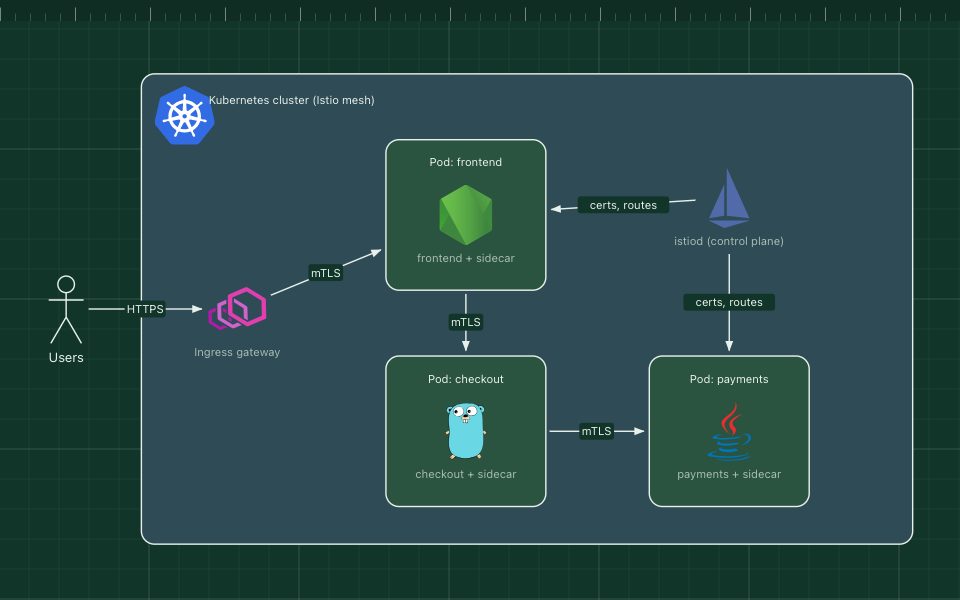
Sidecar proxies next to every service handle mTLS, retries and telemetry, steered by a control plane.
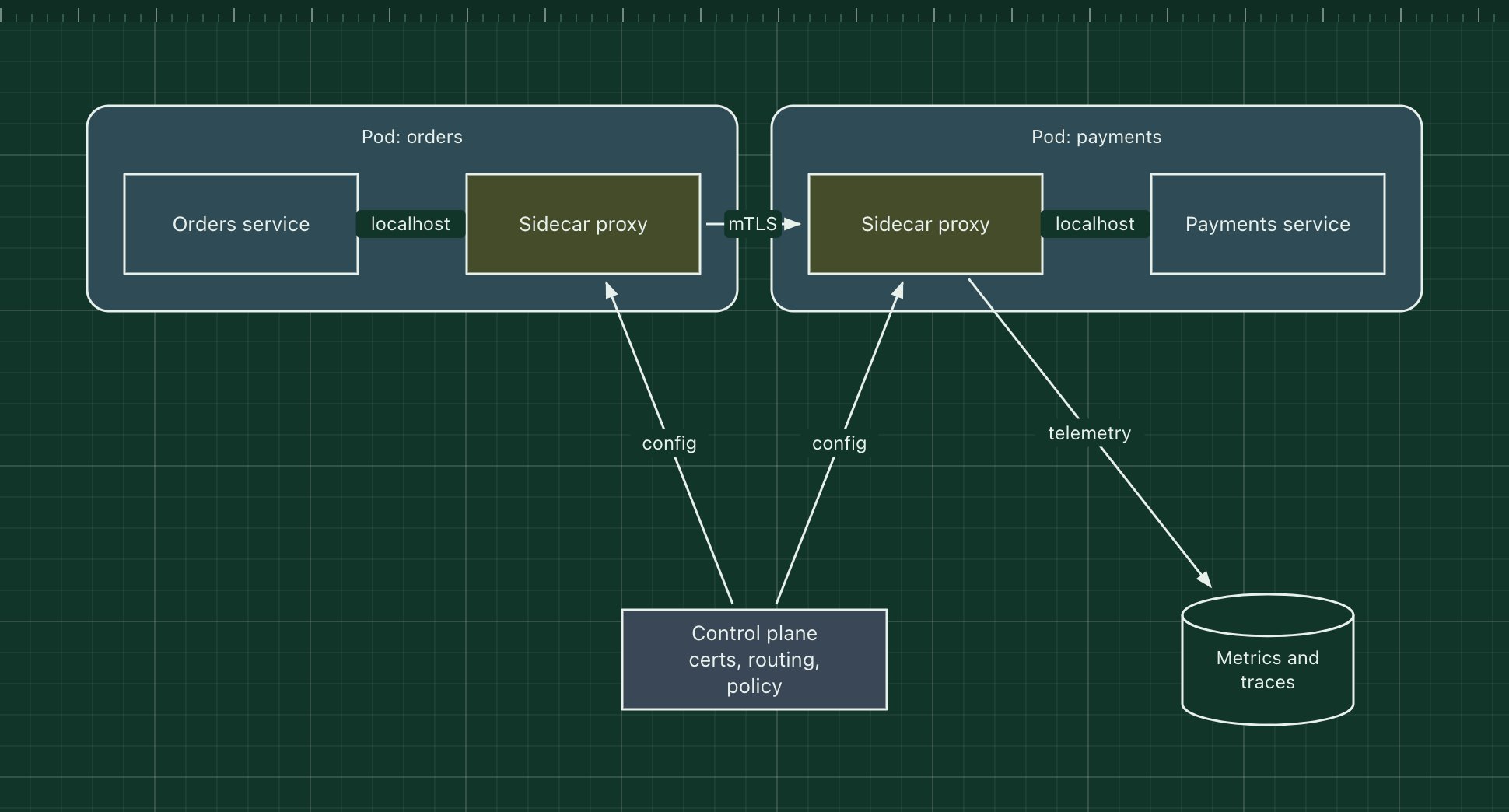
A service mesh moves service-to-service networking out of application code and into proxies. Every service instance gets a sidecar proxy (or, in newer designs, a per-node proxy) that intercepts its traffic. The proxies form the data plane; a control plane configures them with routes, policies and certificates.
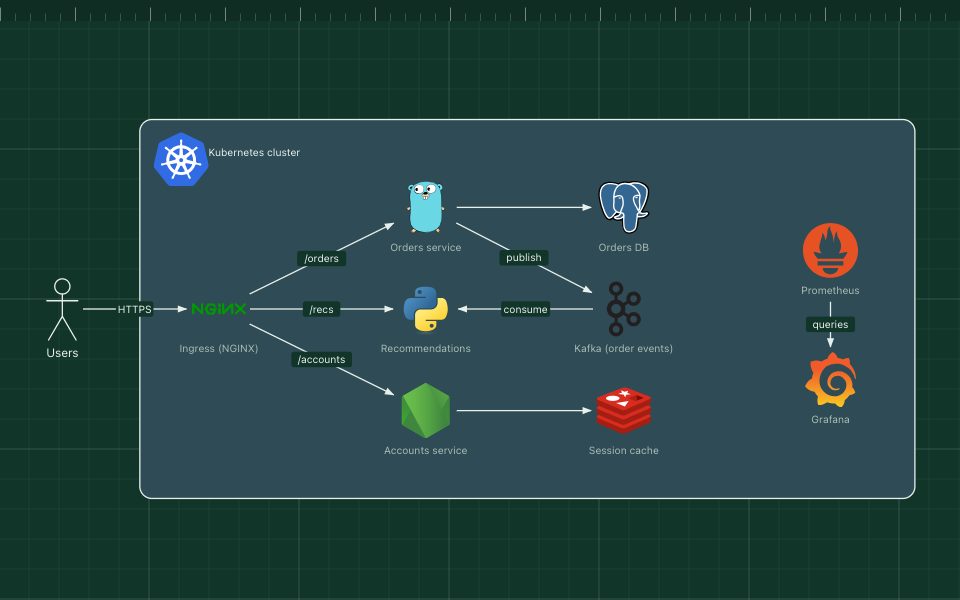
With the mesh in place you get mutual TLS between services, retries, timeouts, traffic splitting for canary releases and consistent metrics and traces, without changing the services. Istio, Linkerd and Consul are the common meshes; most run on Kubernetes.
The parts of the pattern
- Services
- Unchanged application code that talks to localhost.
- Sidecar proxies
- Usually Envoy (Linkerd has its own). They encrypt, retry, route and measure every call.
- Control plane
- Issues certificates, pushes routing rules and access policies to the proxies.
- Telemetry
- Metrics, logs and traces emitted by the proxies for every request.
How it works
- The orders service calls payments as if it were a local HTTP call.
- Its sidecar intercepts the call, picks a healthy payments instance and opens a mutual TLS connection.
- The payments sidecar checks the caller's identity against policy and hands the request to the service.
- Both proxies report latency and status; the control plane can shift traffic or tighten policy at any time.
When to use it, and when not to
Good fit
- Many services, several languages, and a need for uniform security and traffic control.
- Zero-trust networking: every call authenticated and encrypted.
- Canary releases and traffic shifting without code changes.
Think twice
- A handful of services: a library or the platform's load balancer is cheaper.
- Teams without the capacity to operate another critical piece of infrastructure.
- Latency-critical paths where an extra proxy hop per call is too much.
Edit this diagram
Click Open the diagram in the editor to get your own copy, saved in your browser. Rename the boxes to match your system, swap the generic boxes for technology icons from the palette, then export a PNG, SVG or PDF, or share a link. No sign-up.