API gateway pattern
One entry point in front of many services: routing, auth, rate limits and aggregation.
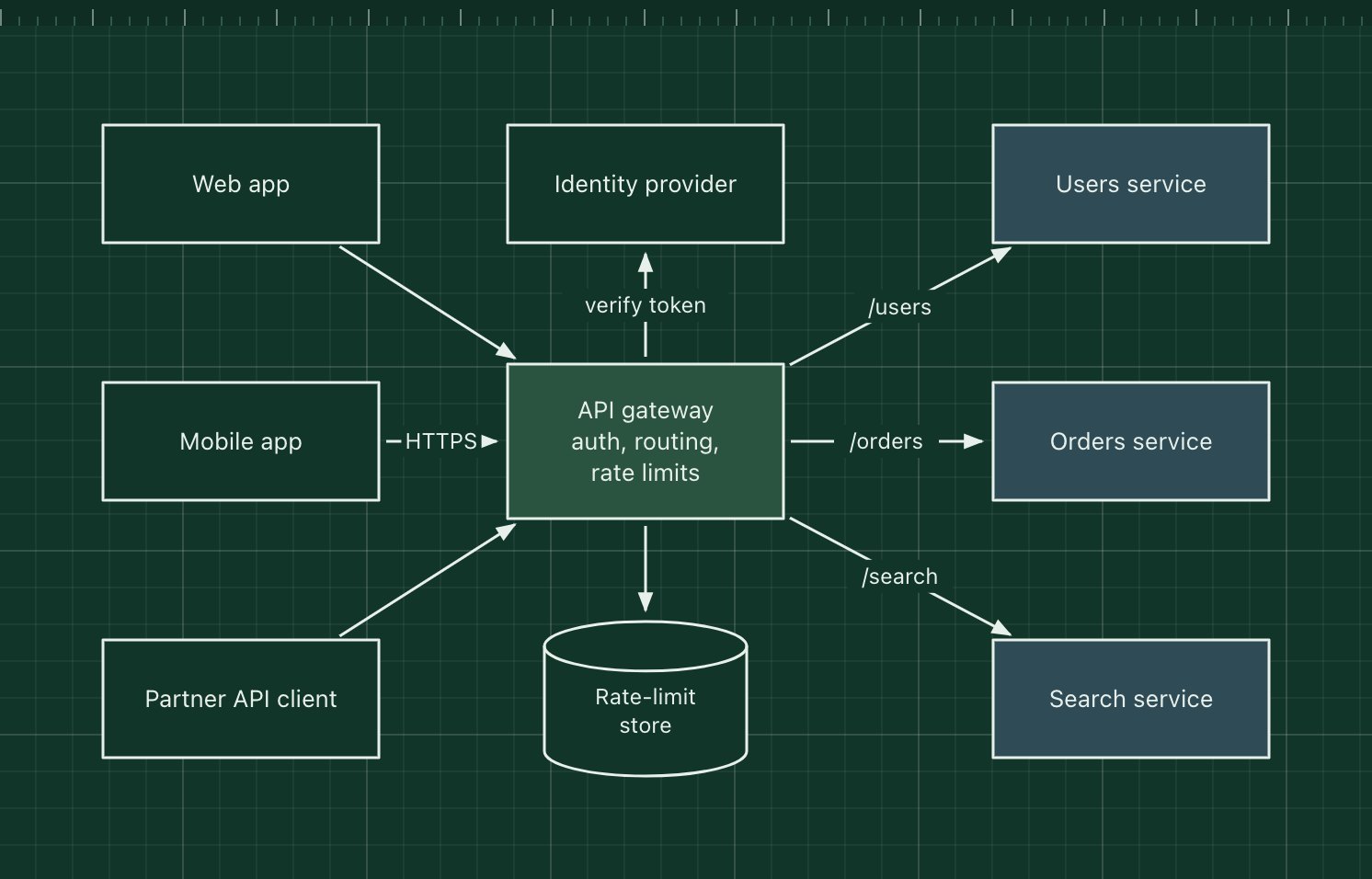
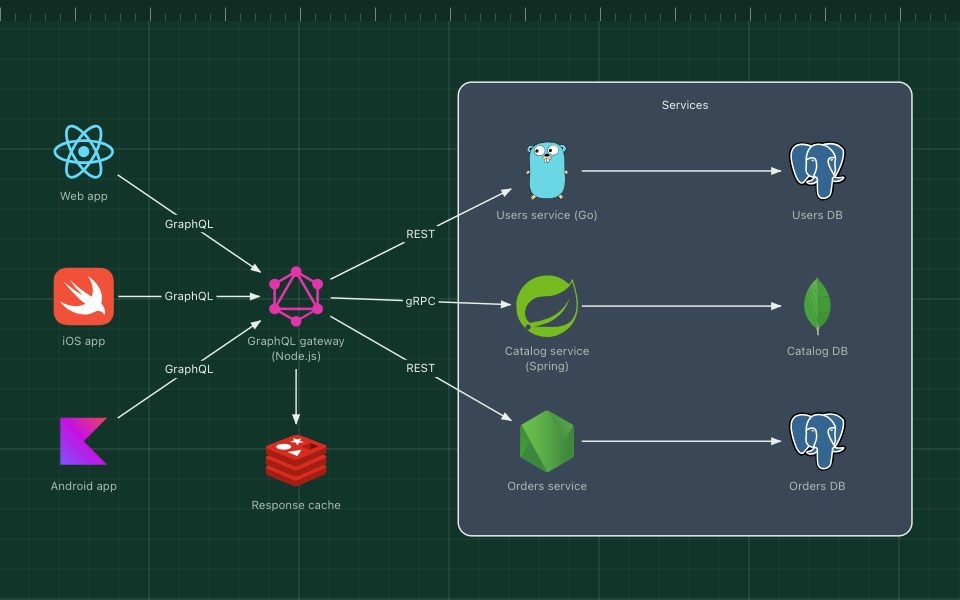
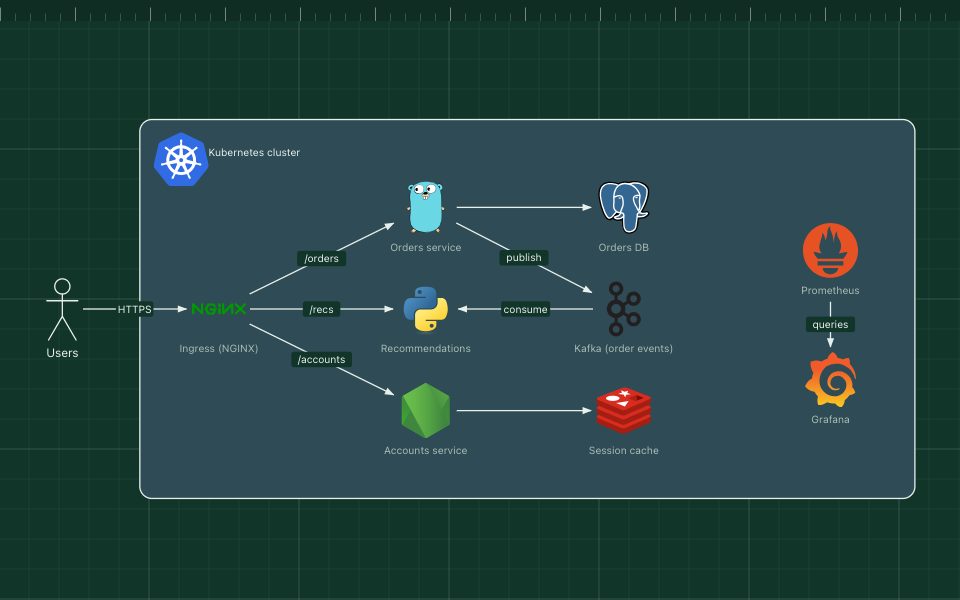
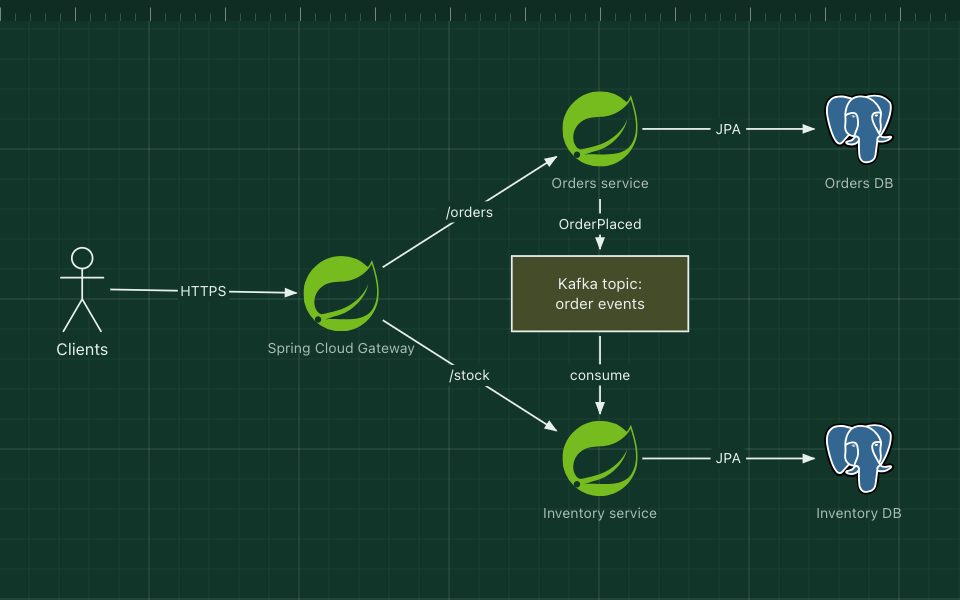
An API gateway is a single entry point that sits between clients and a set of backend services. Clients call one host; the gateway routes each request to the right service and handles the concerns every service would otherwise repeat: authentication, rate limiting, TLS, request logging and sometimes response aggregation.
It hides the internal layout of the system, so services can be split, merged or moved without breaking clients. Common choices are managed gateways such as AWS API Gateway or Azure API Management, and self-hosted ones such as Kong, Envoy-based gateways, Traefik and NGINX.
The parts of the pattern
- Clients
- Web, mobile and partner applications. They only know the gateway's address.
- API gateway
- Terminates TLS, checks tokens, enforces quotas and routes by path or host.
- Identity provider
- Issues and validates the tokens the gateway checks.
- Rate-limit store
- Shared counters, often in Redis, so limits hold across gateway instances.
- Backend services
- Users, orders and search. They trust the gateway and stay private.
How it works
- A mobile app calls GET /orders with a bearer token.
- The gateway validates the token with the identity provider (or its cached keys) and checks the rate limit.
- It forwards the request to the orders service, adding the user's identity as a header.
- The response passes back through the gateway, which logs and returns it.
When to use it, and when not to
Good fit
- More than one backend service is exposed to clients.
- You want one place for authentication, quotas and public API versioning.
- You publish APIs to partners and need keys, plans and analytics.
Think twice
- Putting business logic in the gateway: it becomes a shared monolith everyone must change.
- A single service: a load balancer is enough.
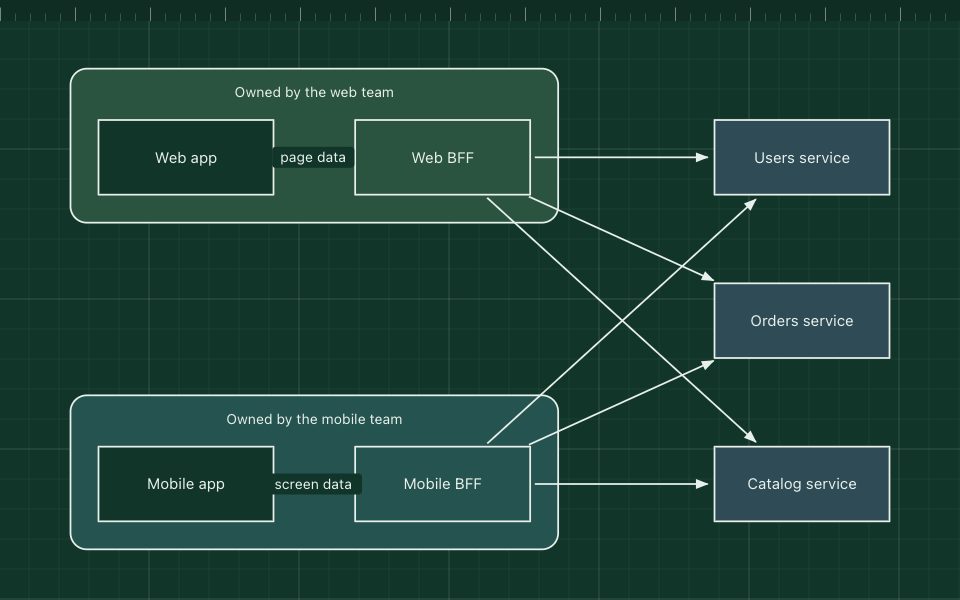
- Very different clients needing very different APIs from it: add backends for frontends.
Edit this diagram
Click Open the diagram in the editor to get your own copy, saved in your browser. Rename the boxes to match your system, swap the generic boxes for technology icons from the palette, then export a PNG, SVG or PDF, or share a link. No sign-up.