Backend for frontend (BFF)
One small backend per client type, shaped to exactly what that client needs.
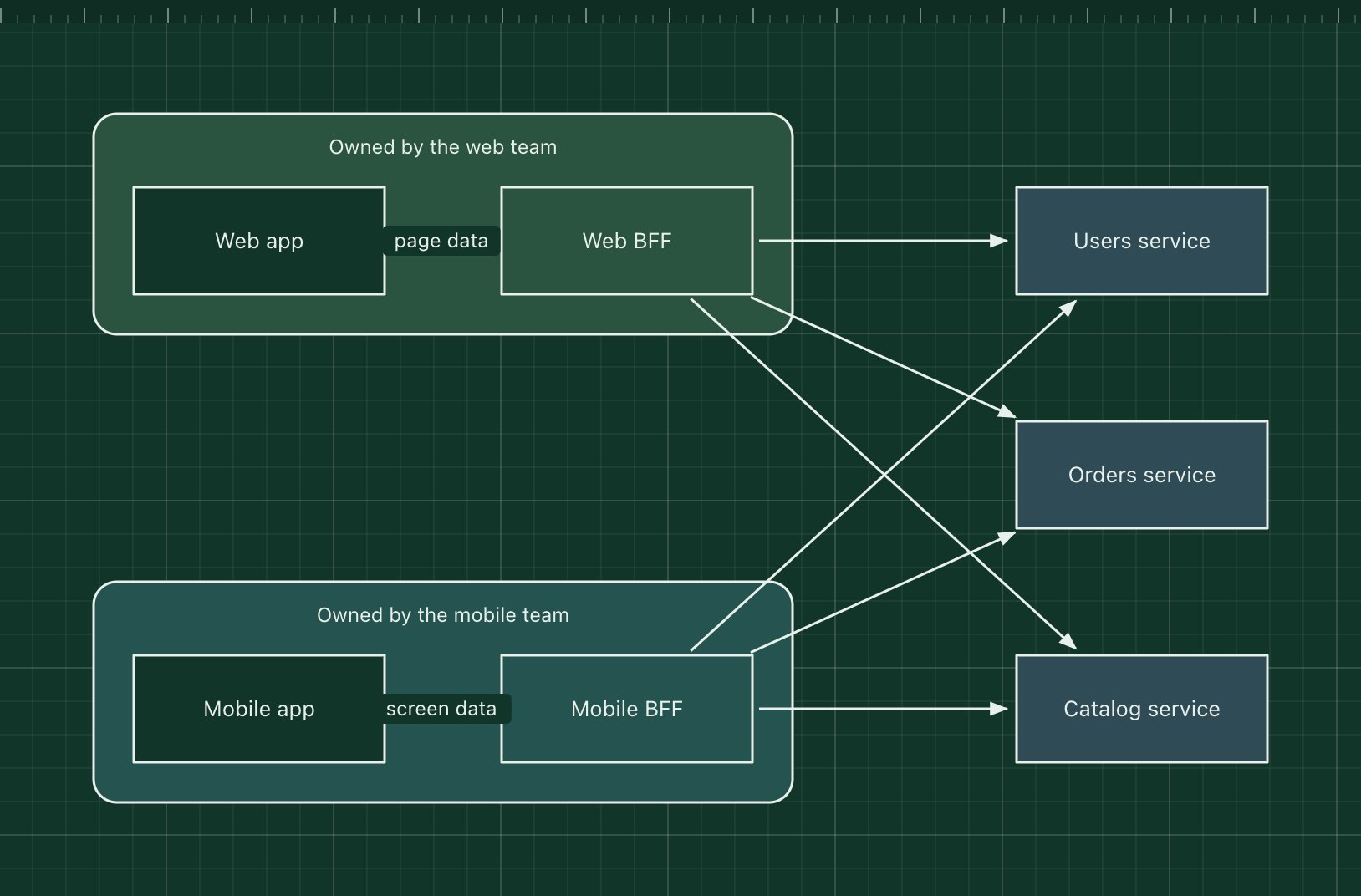
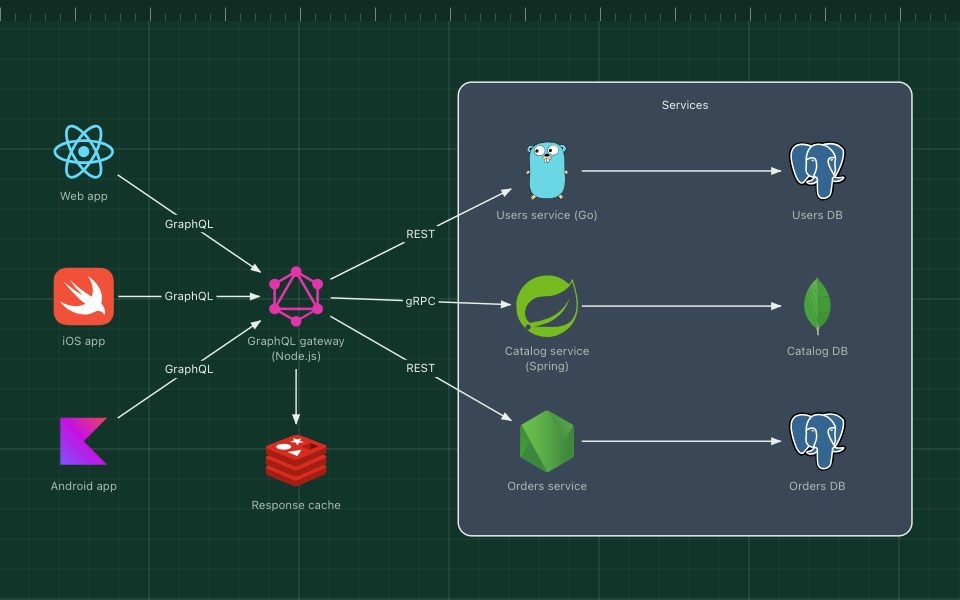
The backend-for-frontend pattern gives each kind of client its own small backend. The web app talks to a web BFF and the mobile app to a mobile BFF; each BFF calls the shared services and returns exactly the data its screens need, in one round trip and in the shape that client wants.
The pattern, named by Sam Newman, works best when the BFF is owned by the same team as its client. That team can change its API whenever the UI changes, without negotiating with everyone who uses a general-purpose API.
The parts of the pattern
- Web and mobile clients
- Different screens, network conditions and release cycles.
- Web BFF and mobile BFF
- Thin backends that aggregate, filter and reshape data for one client. No core business rules.
- Downstream services
- Users, orders and catalog: general-purpose services shared by every BFF.
- Team ownership
- Each client team owns its BFF, so UI and API change together.
How it works
- The mobile app asks its BFF for the "order history" screen.
- The mobile BFF calls the orders and catalog services in parallel.
- It merges the results, drops fields the screen does not use and resizes image URLs for phones.
- The app gets one small response instead of making several calls over a slow network.
When to use it, and when not to
Good fit
- Clients with clearly different needs, such as web, mobile and smart TV apps.
- Client teams are slowed down waiting for changes to a shared API.
- Mobile apps that suffer from many round trips or over-fetching.
Think twice
- Only one client, or clients that need the same data: one API is simpler.
- Business logic duplicated in each BFF: keep it in the downstream services.
- GraphQL already gives each client the shape it needs (though teams often run GraphQL as a BFF).
Edit this diagram
Click Open the diagram in the editor to get your own copy, saved in your browser. Rename the boxes to match your system, swap the generic boxes for technology icons from the palette, then export a PNG, SVG or PDF, or share a link. No sign-up.