Jamstack architecture
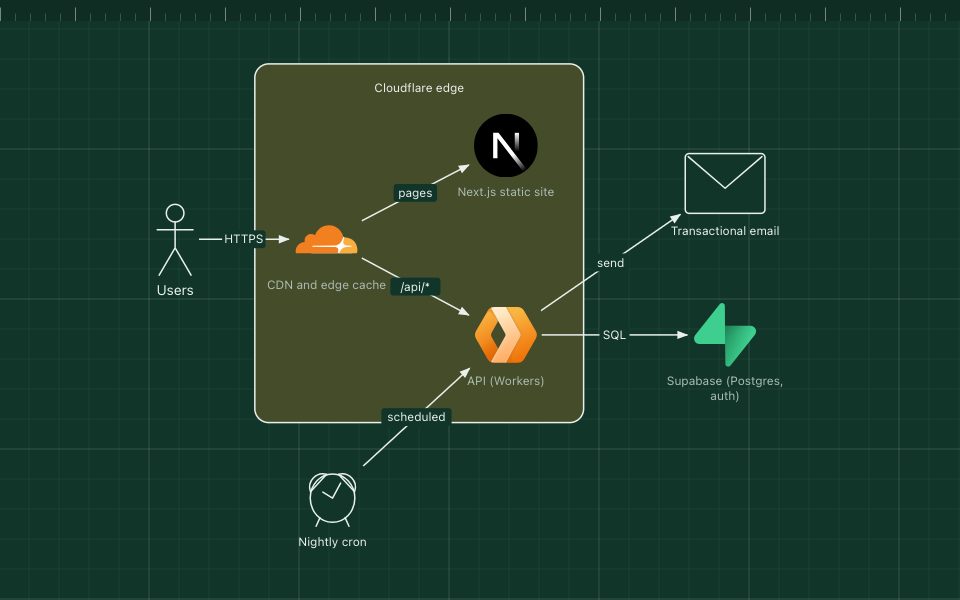
Pages prebuilt at deploy time and served from a CDN; dynamic parts come from APIs.
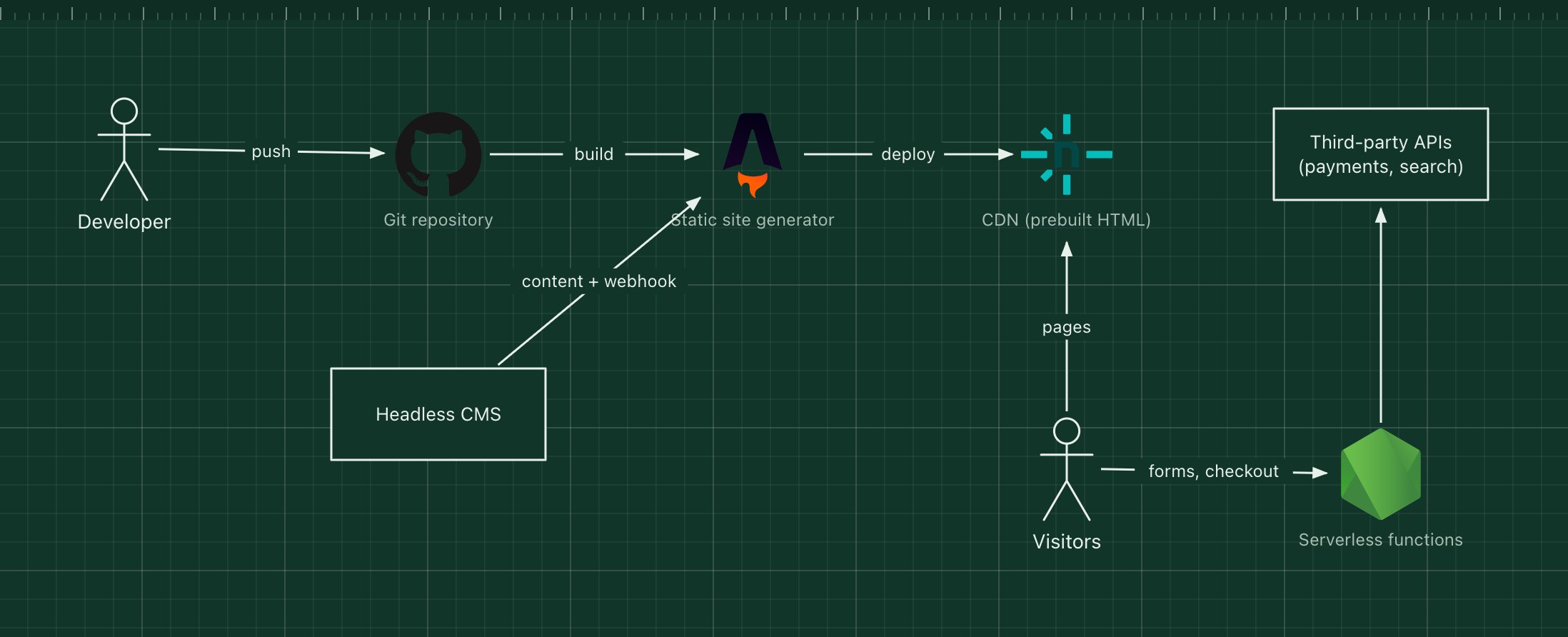
Jamstack is an approach rather than a fixed set of products: build the pages ahead of time, serve them as static files from a CDN, and use JavaScript and APIs for anything dynamic. A static site generator such as Astro, Next.js (static export), Hugo or Eleventy turns content from Markdown or a headless CMS into HTML at deploy time.
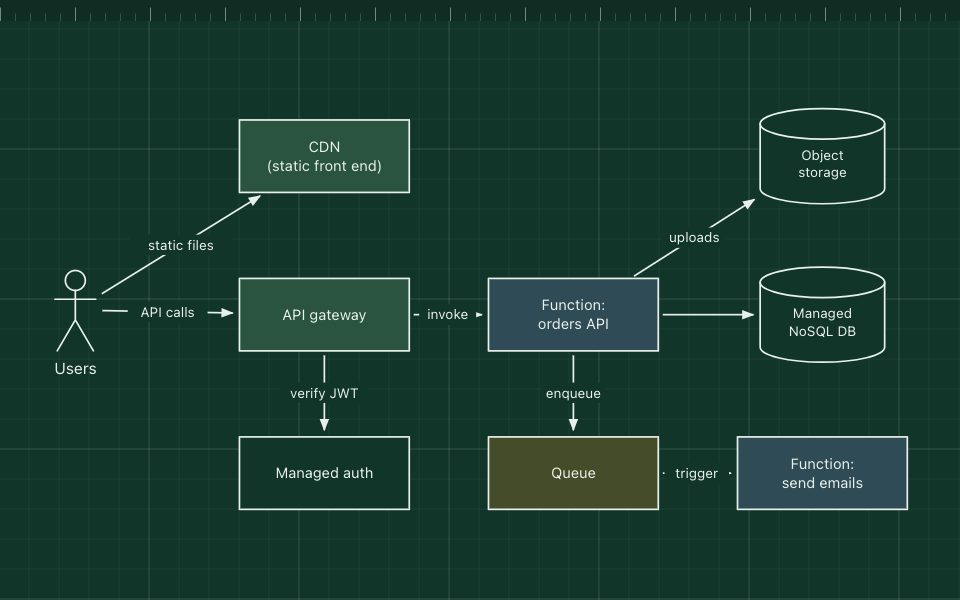
Because there is no server rendering each request, pages load fast, scale without effort and have little to attack. Dynamic features, such as forms, search, comments or checkout, call serverless functions or third-party APIs from the browser.
What the stack is made of
- Git repository
- Code and often content. Every push triggers a build.
- Headless CMS
- Optional. Editors write content in Contentful, Sanity, Strapi or similar; a webhook triggers a rebuild.
- Static site generator
- Builds HTML, CSS and JavaScript for every page.
- CDN
- Netlify, Vercel, Cloudflare Pages or S3 with CloudFront serve the files from the edge.
- Serverless functions and APIs
- Handle the dynamic parts: forms, auth, payments, search.
How a request flows through it
- A developer pushes code, or an editor publishes in the CMS, which fires a webhook.
- The build service runs the static site generator and produces the pages.
- The new version is deployed to the CDN atomically.
- Visitors get prebuilt HTML from the nearest edge; a checkout button calls a serverless function, which calls the payment API.
When to use it, and when not to
Good fit
- Marketing sites, documentation, blogs and stores with mostly stable content.
- Sites that must be fast, cheap to host and resilient to traffic spikes.
- Teams that want deploy previews for every change.
Think twice
- Highly personalised pages that differ for every user.
- Very large sites with content changing every minute, where full rebuilds are too slow (consider incremental or on-demand rendering).
- Apps that are mostly logged-in, real-time workflows.
Edit this diagram
Click Open the diagram in the editor to get your own copy, saved in your browser. Rename the boxes to match your system, swap any technology for the one you use from the icon palette, then export a PNG, SVG or PDF, or share a link. No sign-up.