Serverless architecture
Functions and managed services that scale to zero; you run no servers.
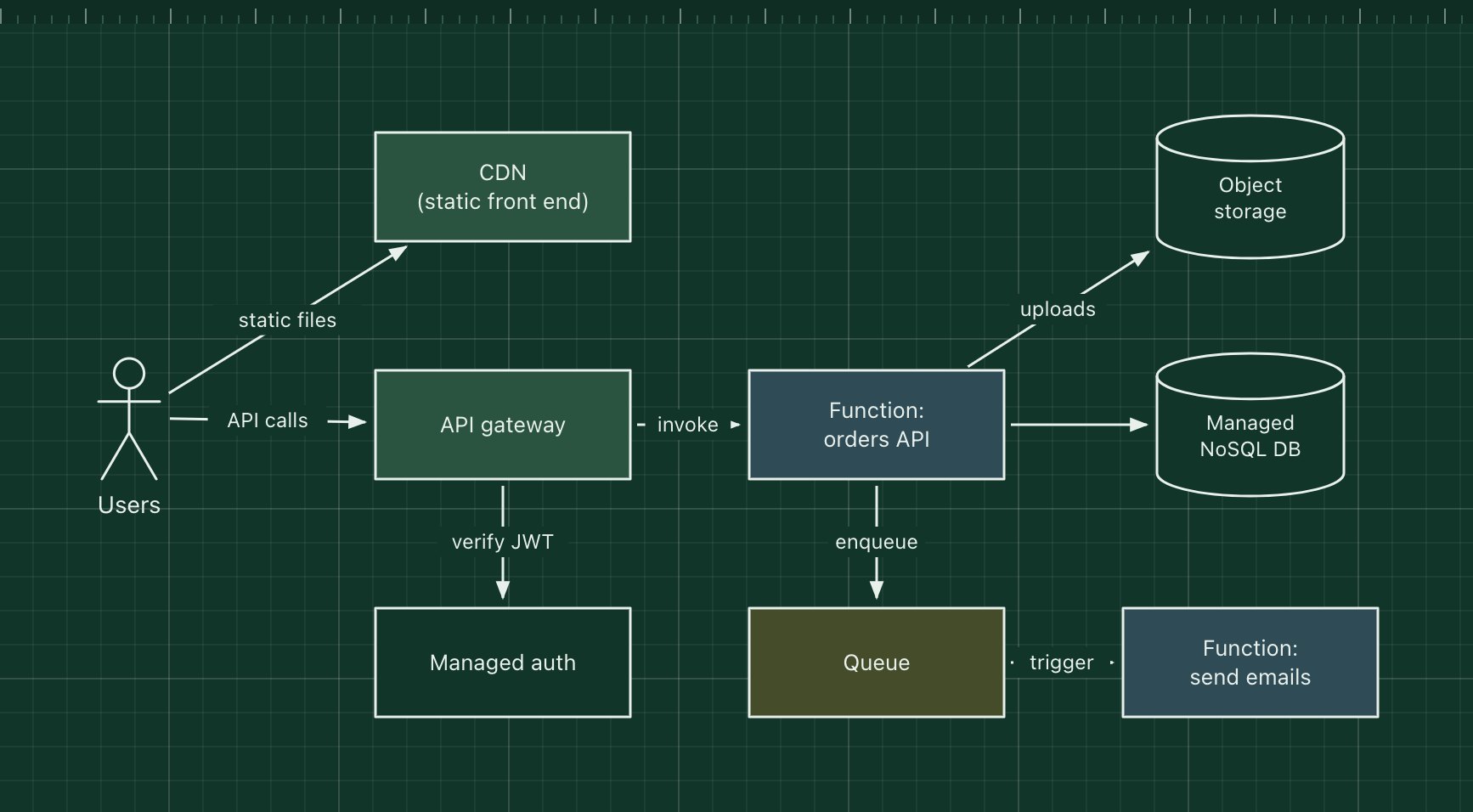
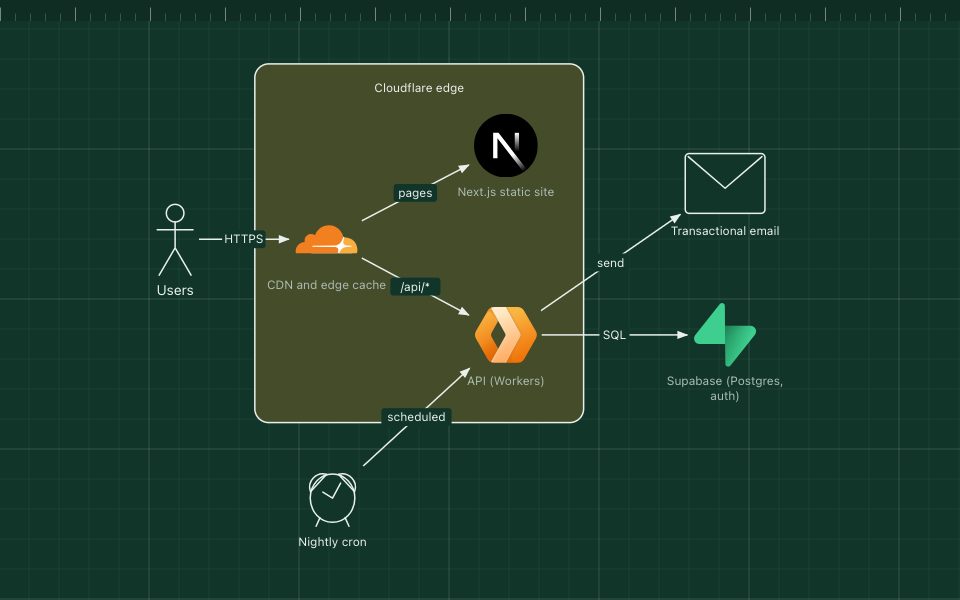
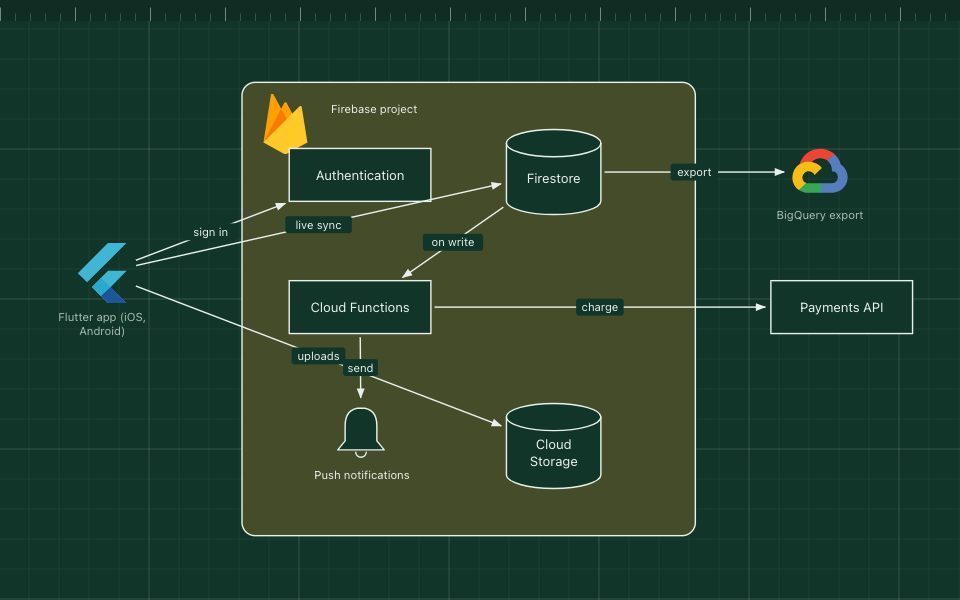
In a serverless architecture you write functions and connect managed services, and the cloud provider runs, scales and patches everything. Functions start when an event arrives (an HTTP request, a queue message, a file upload) and you pay per invocation, so idle time costs nothing.
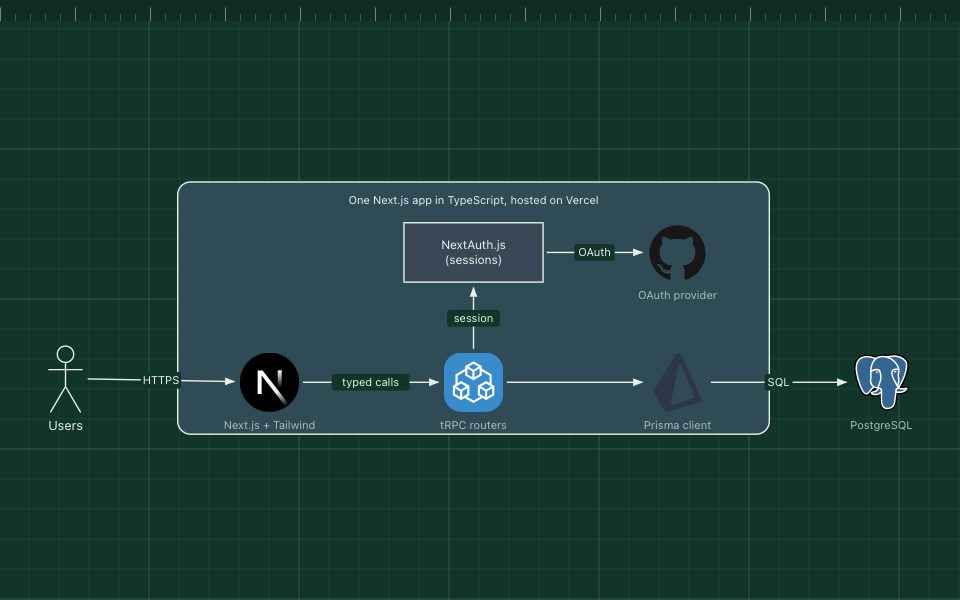
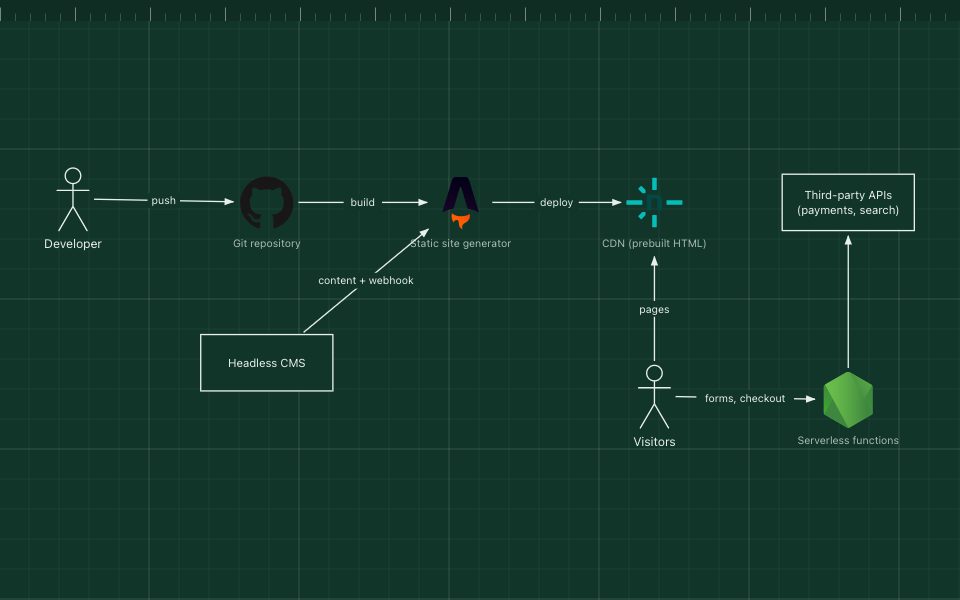
The pattern pairs functions such as AWS Lambda, Azure Functions or Cloud Run functions with managed building blocks: an API gateway, a database like DynamoDB or Firestore, object storage, queues and an auth service.
The parts of the pattern
- CDN
- Serves the static front end from edge locations.
- API gateway
- Turns HTTP requests into function invocations and checks tokens with the auth service.
- Functions
- Short-lived, stateless handlers. State lives in managed services.
- Managed data services
- A NoSQL database and object storage that scale without capacity planning.
- Queue and worker function
- Moves slow work, such as sending email, out of the request path.
How it works
- The browser loads the app from the CDN, then calls the API gateway.
- The gateway verifies the user's token and invokes the orders function.
- The function writes to the database, stores any upload and enqueues an email job.
- The queue triggers the email function, which runs and exits.
When to use it, and when not to
Good fit
- Spiky or unpredictable traffic, or long idle periods.
- Small teams that want no servers or clusters to operate.
- Event-driven glue: reacting to uploads, webhooks, schedules and queues.
Think twice
- Steady, high, predictable load, where always-on containers are cheaper.
- Long-running or latency-critical work hurt by execution limits and cold starts.
- You need to avoid deep lock-in to one provider's services.
Edit this diagram
Click Open the diagram in the editor to get your own copy, saved in your browser. Rename the boxes to match your system, swap the generic boxes for technology icons from the palette, then export a PNG, SVG or PDF, or share a link. No sign-up.