Strangler fig pattern
Replace a legacy system piece by piece behind a facade, until nothing of it is left.
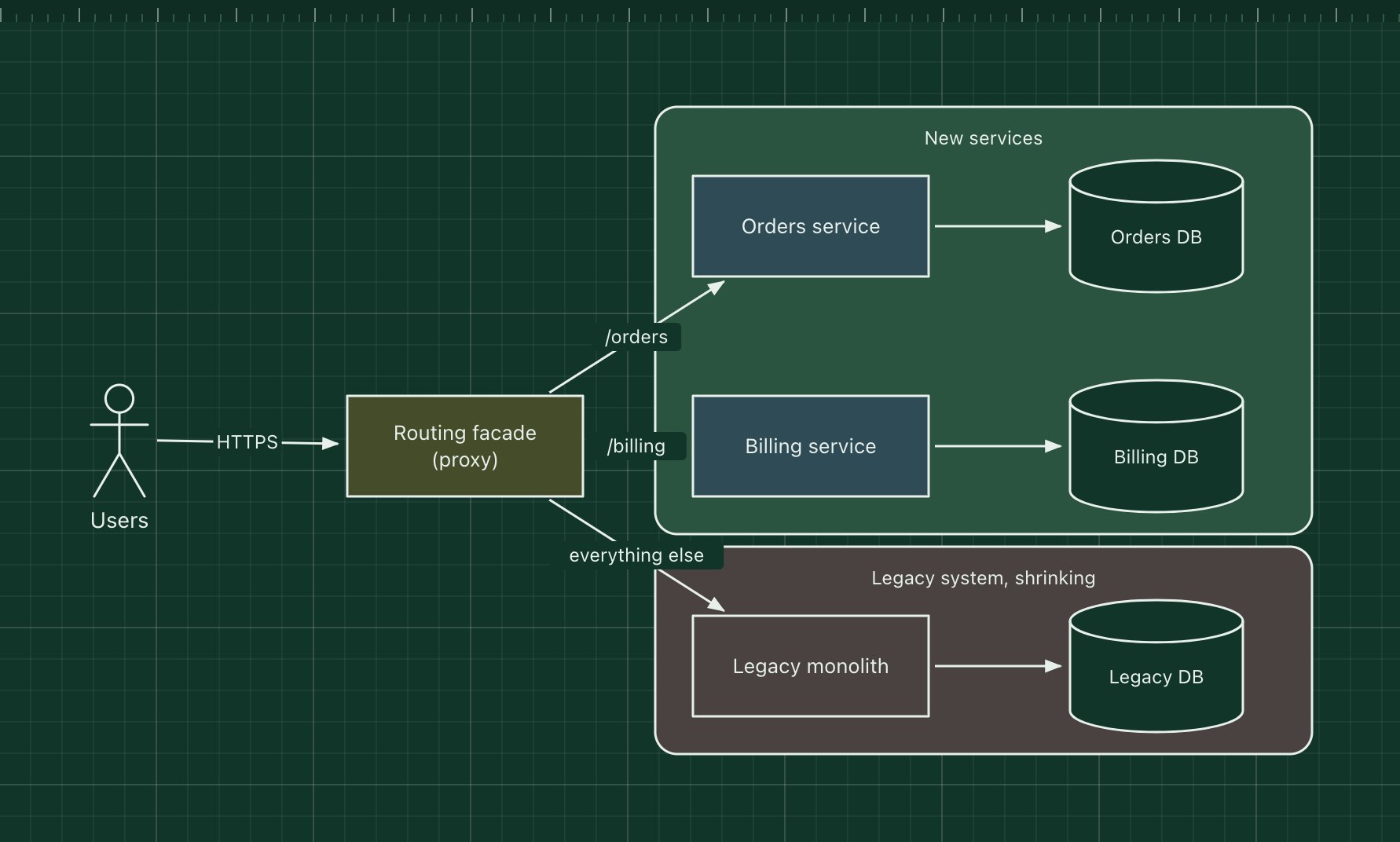
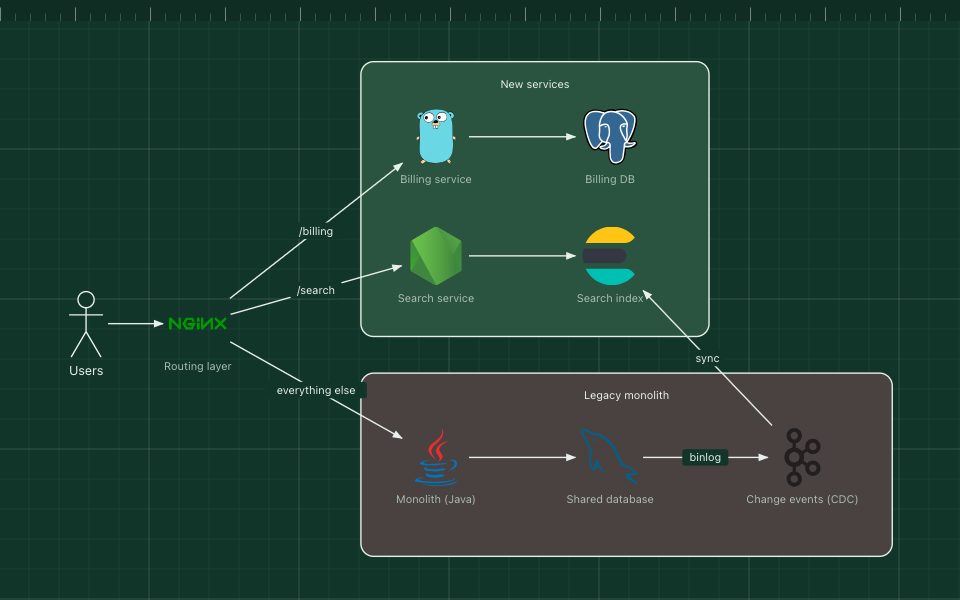
The strangler fig pattern replaces a legacy system gradually instead of in one risky rewrite. A facade, usually a reverse proxy or API gateway, sits in front of the old system. Each time a piece of functionality is rebuilt, the facade starts sending that part of the traffic to the new code. The legacy system shrinks until it can be switched off.
Martin Fowler named it after the strangler fig, which grows around a host tree until it stands on its own. The hard parts are usually data, not code: during the migration the old and new systems often have to keep their data in step.
The parts of the pattern
- Routing facade
- Routes by path, header or user to either the new services or the legacy system.
- New services
- Rebuilt functionality, each with its own data store.
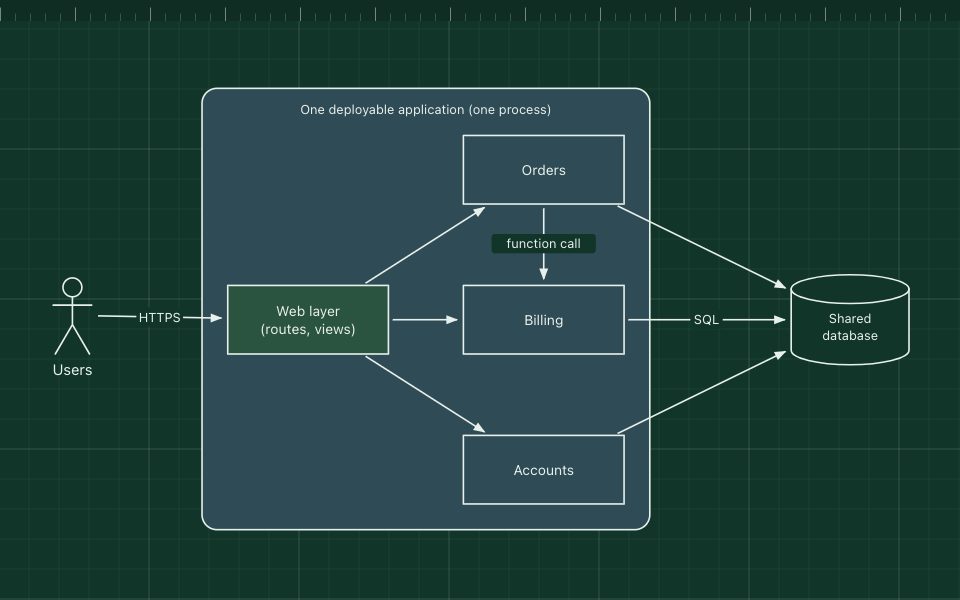
- Legacy system
- Keeps serving everything not migrated yet.
- Data synchronisation
- Change data capture, events or dual writes keep shared data consistent until the cut-over.
How it works
- All traffic goes through the facade from day one, even before anything is migrated.
- The team rebuilds orders, then routes /orders to the new service, perhaps for a small share of users first.
- Once it is stable, the old orders code is deleted from the monolith.
- The cycle repeats for billing and the rest, until the facade no longer routes anything to the legacy system.
When to use it, and when not to
Good fit
- Replacing a business-critical legacy system that cannot stop.
- You want to deliver value and learn during the migration, not after it.
- The old system's functions can be separated by URL, message type or user group.
Think twice
- The system is small enough to rewrite and switch over safely in one go.
- You cannot intercept the traffic, for example with clients hard-wired to the old system's database.
- No plan to finish: a half-strangled system is two systems to run.
Edit this diagram
Click Open the diagram in the editor to get your own copy, saved in your browser. Rename the boxes to match your system, swap the generic boxes for technology icons from the palette, then export a PNG, SVG or PDF, or share a link. No sign-up.