How to keep architecture diagrams up to date
Diagrams rot for predictable reasons. A few habits stop most of it.
Everyone has opened a wiki page, found a confident architecture diagram, and later discovered it described a system that no longer exists. Out-of-date diagrams are worse than none: they cost the reader time and trust.
Diagrams rarely go stale because people are careless. They go stale because of how and where they are kept. Here are the habits that keep ours current.
Why diagrams rot#
Most stale diagrams share one or more of these causes:
- Too much detail. The more a diagram shows, the more often it is wrong. Class names and instance counts change weekly; the main containers change once a year.
- Stored far from the work. A diagram in a slide deck or a separate tool is invisible when someone changes the system.
- No owner and no date. Nobody knows whether it is still true, so nobody fixes it.
- Hard to edit. If updating it means finding the original file and a licence for the tool that made it, people redraw from scratch, or not at all.
Draw at the level that changes slowly#
The single most effective habit is drawing less. Focus on the levels that stay true for a long time:
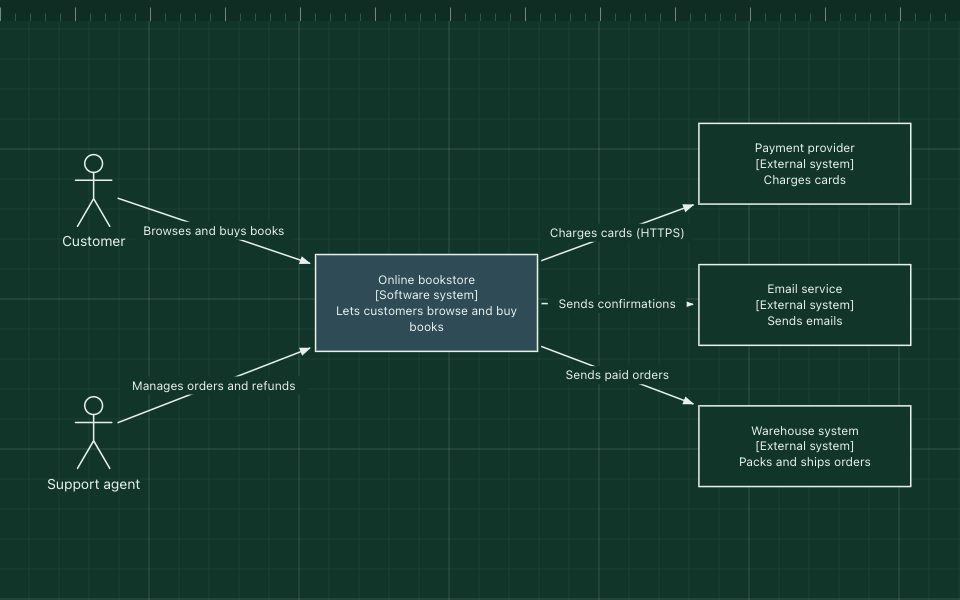
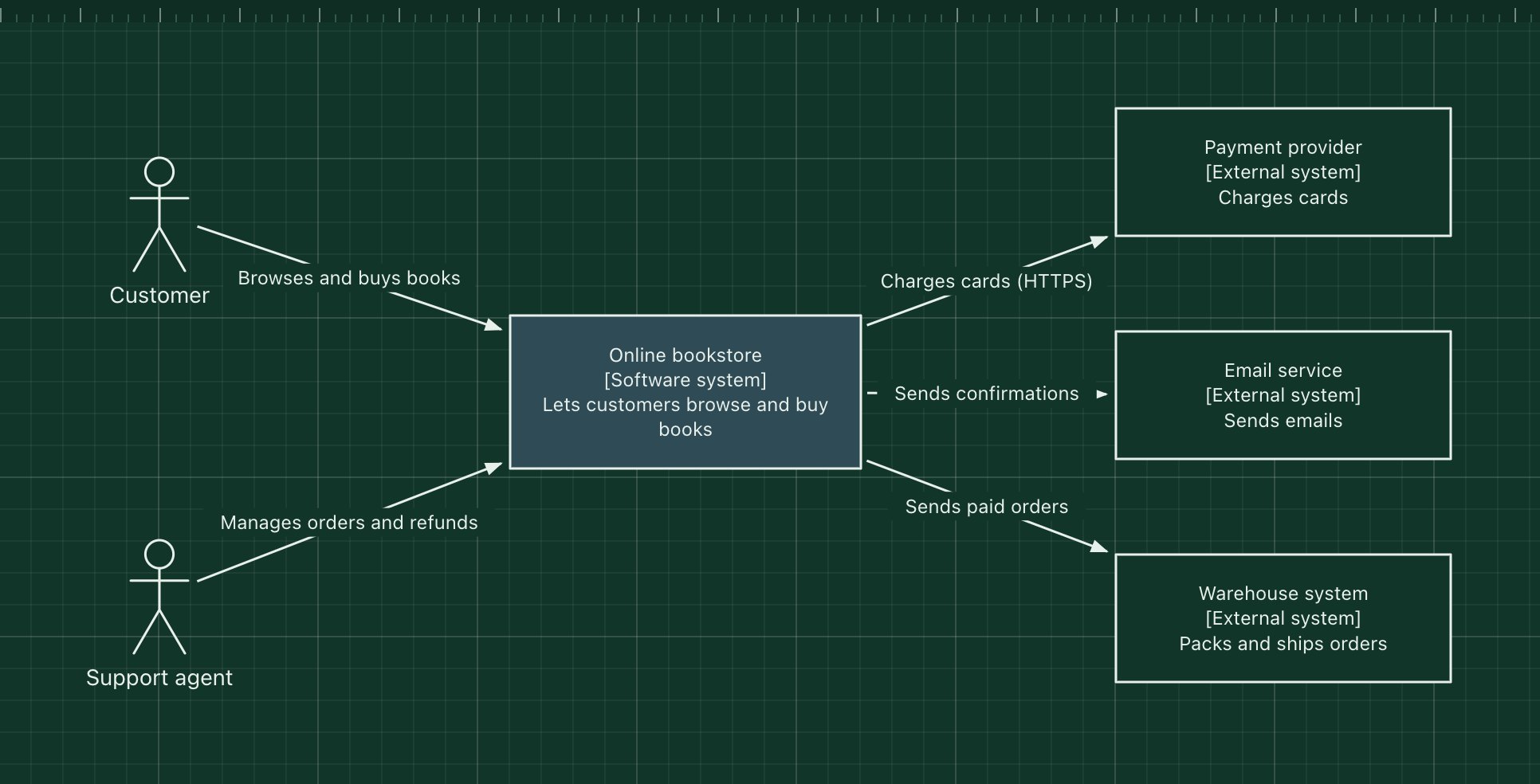
- System context: your system, its users and its neighbours. This rarely changes.
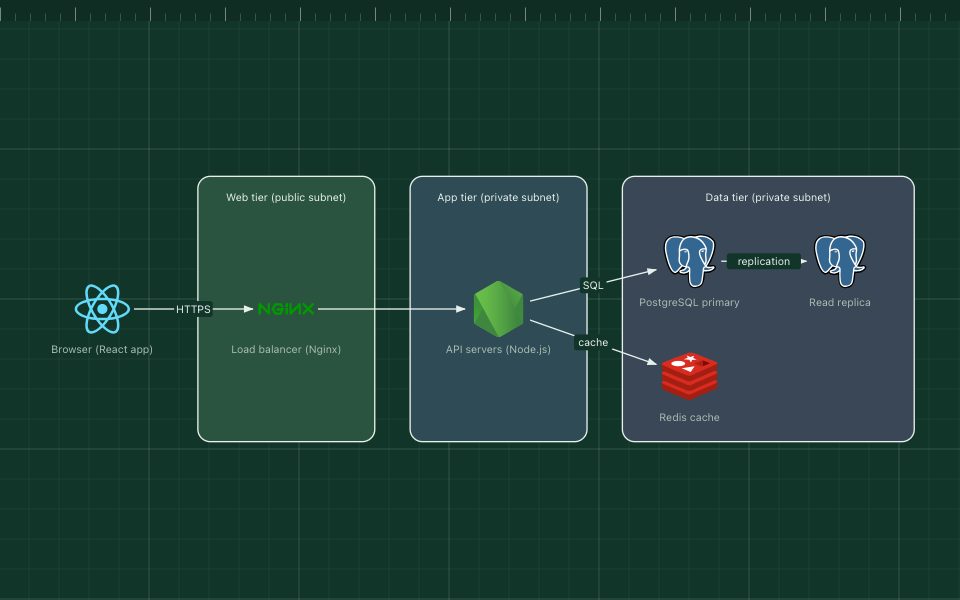
- Containers: the apps, services and data stores. This changes a few times a year.
Draw lower levels, such as components and code, only where they earn their keep, and expect to update or regenerate them often.
Put a date and an owner on every diagram#
Two lines under the title make a large difference:
- "Last reviewed: 15 November 2026" tells readers how much to trust it.
- "Owner: Payments team" tells them who to ask, and who should fix it.
A diagram with an old date is not a failure; it is an honest signal. A diagram with no date is the problem.
Keep the source next to the code#
Store the editable source of each diagram in the repository of the system it describes, and show the rendered image where people read: the README, the design document, the runbook.
- With diagrams as code (Mermaid, PlantUML), the source is the text file itself.
- With a visual editor, export the editable file and commit it. In ArchBoard, Export saves the project as JSON, and Share → Copy as Markdown gives you a link for the README that opens the current version for anyone.
When the source sits next to the code, the person changing the system can see the diagram, and reviewers can ask "did you update the diagram?" in the same pull request.
Make updating part of "done"#
Add one line to your pull request template or definition of done:
If this change adds, removes or reconnects a service, data store or external dependency, update the architecture diagram.
That rule is specific enough to follow and narrow enough not to be ignored. Small internal refactors do not trigger it; new dependencies do.
Review on triggers, not on a calendar#
Quarterly "update all diagrams" sessions rarely happen. Event triggers work better:
- New joiners. Ask each new engineer to check the main diagram during onboarding. Fresh eyes spot what is missing.
- Incidents. If the incident review needed a diagram that was wrong, fix it as an action item.
- Design reviews. Every proposal starts from the current diagram, which forces it to be current.
Make diagrams cheap to change#
If editing a diagram takes five minutes, people do it; if it takes an hour, they postpone it forever. Prefer tools where anyone on the team can open the file and change it without an account, a licence or a training session. Keep layouts simple, with clear zones and labelled arrows, so a change does not mean redrawing everything.
The short version#
- Draw context and container levels; draw lower levels only when needed.
- Put a "last reviewed" date and an owner on every diagram.
- Keep the editable source in the repository, next to the code.
- Make "update the diagram" part of done for dependency changes.
- Review when people join, when incidents happen and when designs change.
- Use tools that make editing quick for everyone.
If your current diagram is already out of date, the fastest fix is often to start again from a template that is close to your system, and keep it current from day one.