Kappa architecture
Streaming only: one codebase, and reprocessing by replaying the event log.
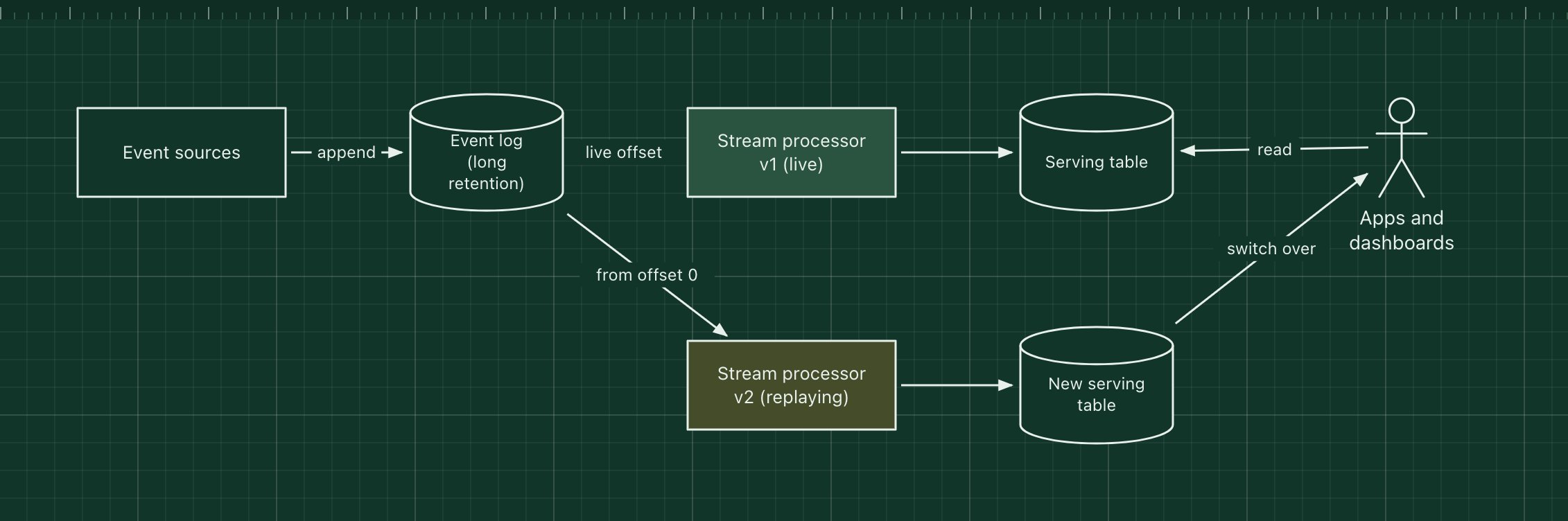
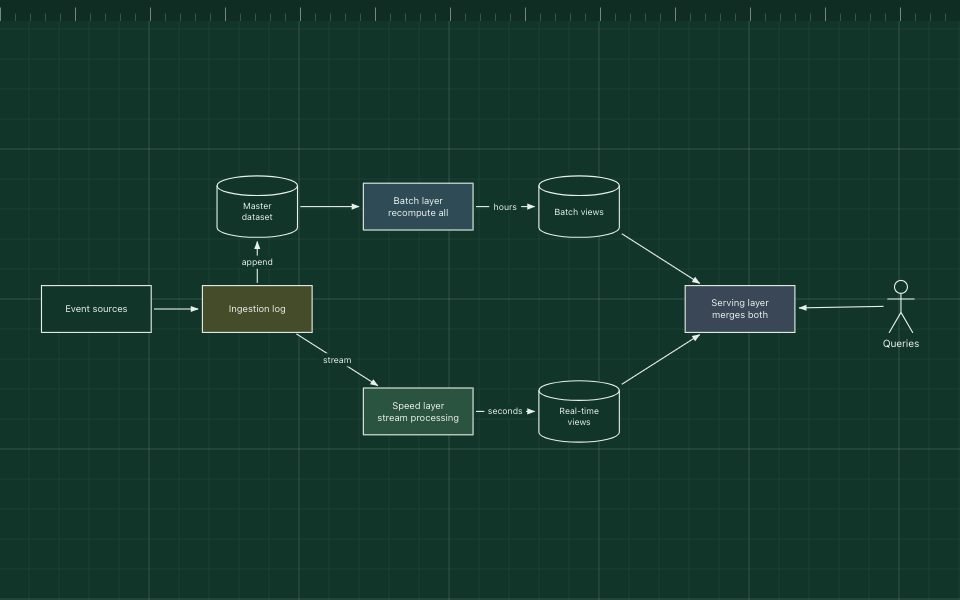
The Kappa architecture, proposed by Jay Kreps, removes the batch layer from the Lambda architecture. Everything is a stream: events are kept in a durable log with long retention, and a single stream processing job builds the views. To fix a bug or change the logic, you run a new version of the job from the start of the log into a new table, then switch readers over.
It means one codebase instead of two. It relies on a log that can hold enough history (Kafka with long retention or tiered storage, or a table format such as Delta or Iceberg) and a processor that can catch up quickly, such as Flink or Kafka Streams.
The parts of the pattern
- Event log
- The source of truth: every event, kept long enough to rebuild any view.
- Stream processor
- One job, one codebase, that turns events into views.
- Serving table
- The output that applications and dashboards read.
- Reprocessing
- A second job version replays from offset 0 into a new table; readers switch once it catches up.
How it works
- Events are appended to the log and processed by v1 in real time.
- A bug in v1 is found, so v2 is deployed alongside it, reading from the beginning of the log.
- v2 writes to a new serving table and catches up with the live end of the log.
- Applications switch to the new table, and v1 and its table are removed.
When to use it, and when not to
Good fit
- Streaming is the main workload and you want one codebase for it.
- Your log can retain the history you need to replay.
- Logic changes are frequent and you need a clean way to rebuild outputs.
Think twice
- Heavy historical analysis that is far cheaper as batch SQL over files.
- Reprocessing years of events through the stream job would take too long.
- Joins and algorithms that do not fit streaming well.
Edit this diagram
Click Open the diagram in the editor to get your own copy, saved in your browser. Rename the boxes to match your system, swap the generic boxes for technology icons from the palette, then export a PNG, SVG or PDF, or share a link. No sign-up.