Modular monolith
One deployable, split into modules that own their data and talk through public APIs.
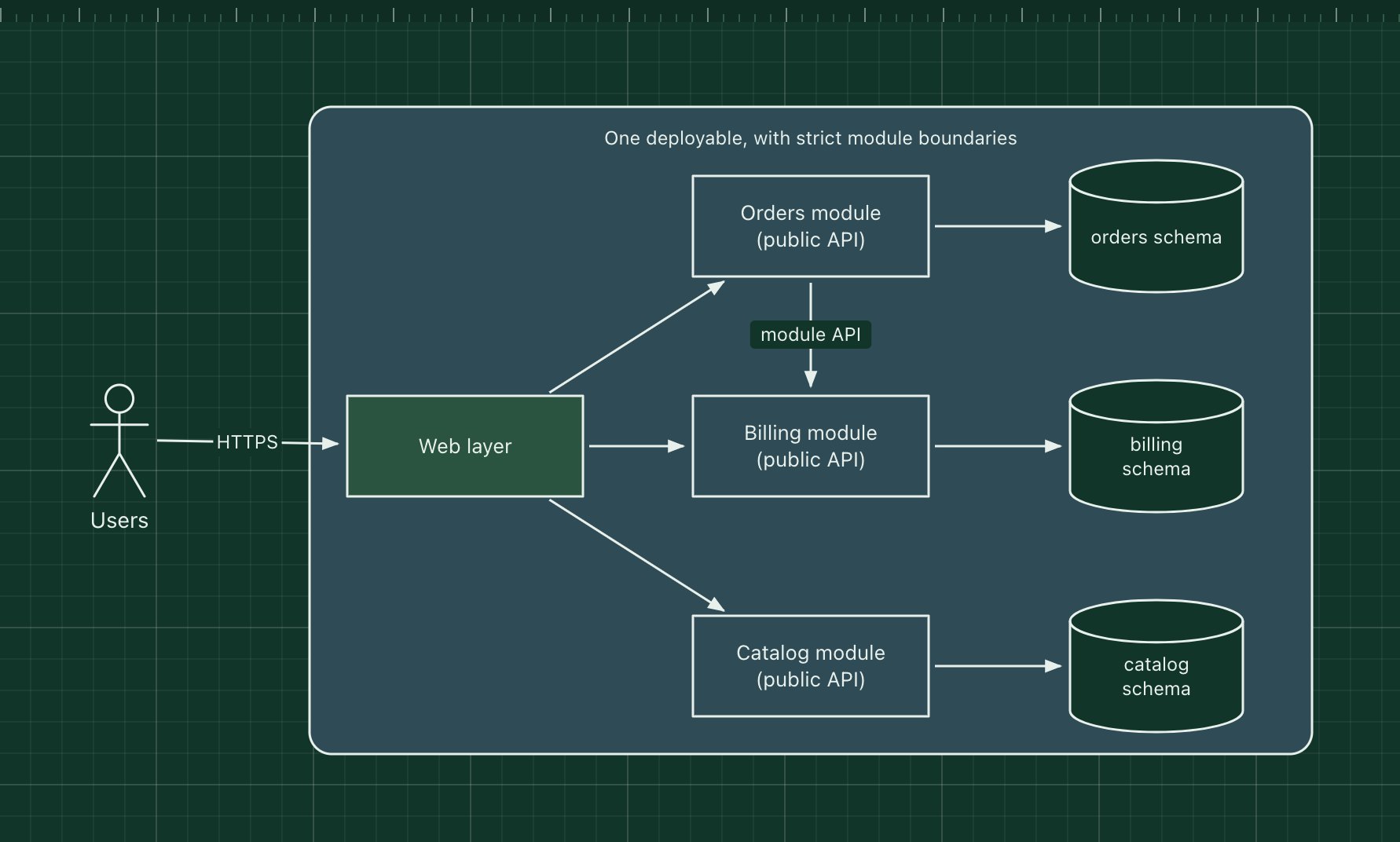
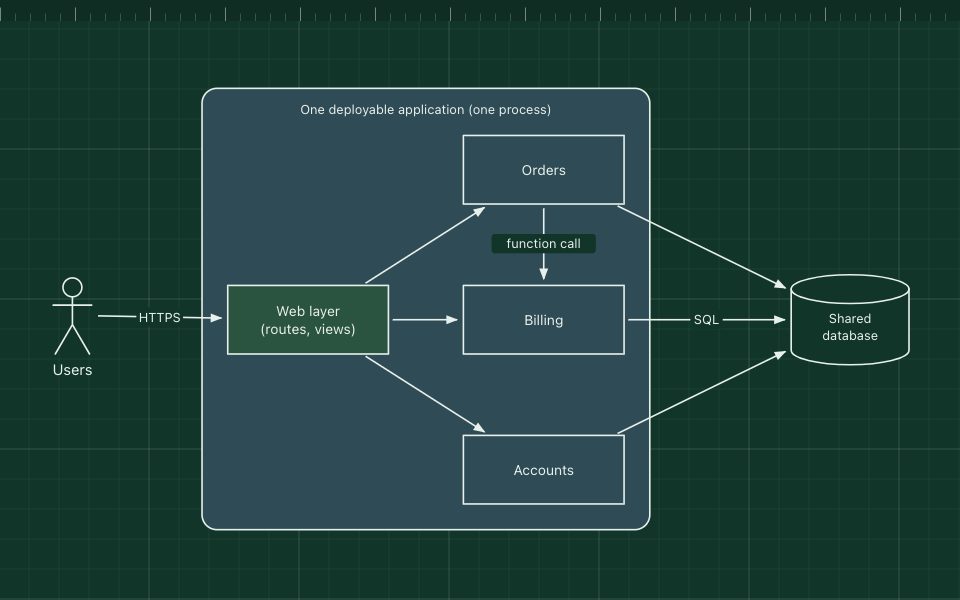
A modular monolith is still one application and one deployment, but its code is split into modules along business lines. Each module exposes a small public API, hides everything else, and owns its own tables. Other modules may call that API but never reach into its internals or its data.
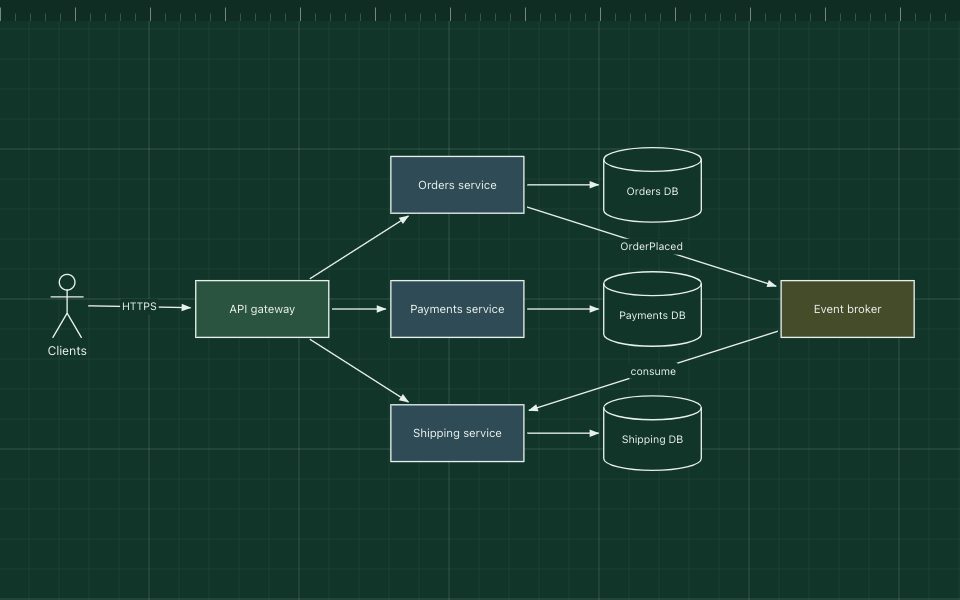
It gives you most of the structure people want from microservices without the network, the distributed transactions or the operational cost. If a module later needs to become its own service, its boundary is already drawn.
The parts of the pattern
- Modules
- Orders, billing and catalog, each a folder or package with a public interface and private internals.
- Module API
- The only way in. In code this is an interface, a facade class or a set of exported functions.
- Schema per module
- Tables belong to one module. Other modules ask through the API instead of joining across.
- Boundary checks
- Tools such as ArchUnit, dependency-cruiser or Packwerk fail the build when a module imports another one's internals.
How it works
- A request reaches the web layer, which calls the orders module's public API.
- Orders needs a payment, so it calls the billing module's API, in the same process.
- Each module reads and writes only its own schema.
- The whole application is still built and deployed as one unit.
When to use it, and when not to
Good fit
- You want clear ownership and boundaries but not the cost of running many services.
- A plain monolith has become tangled and you want to untangle it in place.
- You may split out services later and want the seams ready.
Think twice
- Teams need to deploy on their own schedules: one deployable means one release train.
- Modules need different languages or runtimes.
- Nobody will enforce the boundaries: without checks in the build it decays back into a tangled monolith.
Edit this diagram
Click Open the diagram in the editor to get your own copy, saved in your browser. Rename the boxes to match your system, swap the generic boxes for technology icons from the palette, then export a PNG, SVG or PDF, or share a link. No sign-up.