Saga pattern
A business transaction across services as a series of local steps, undone by compensations.
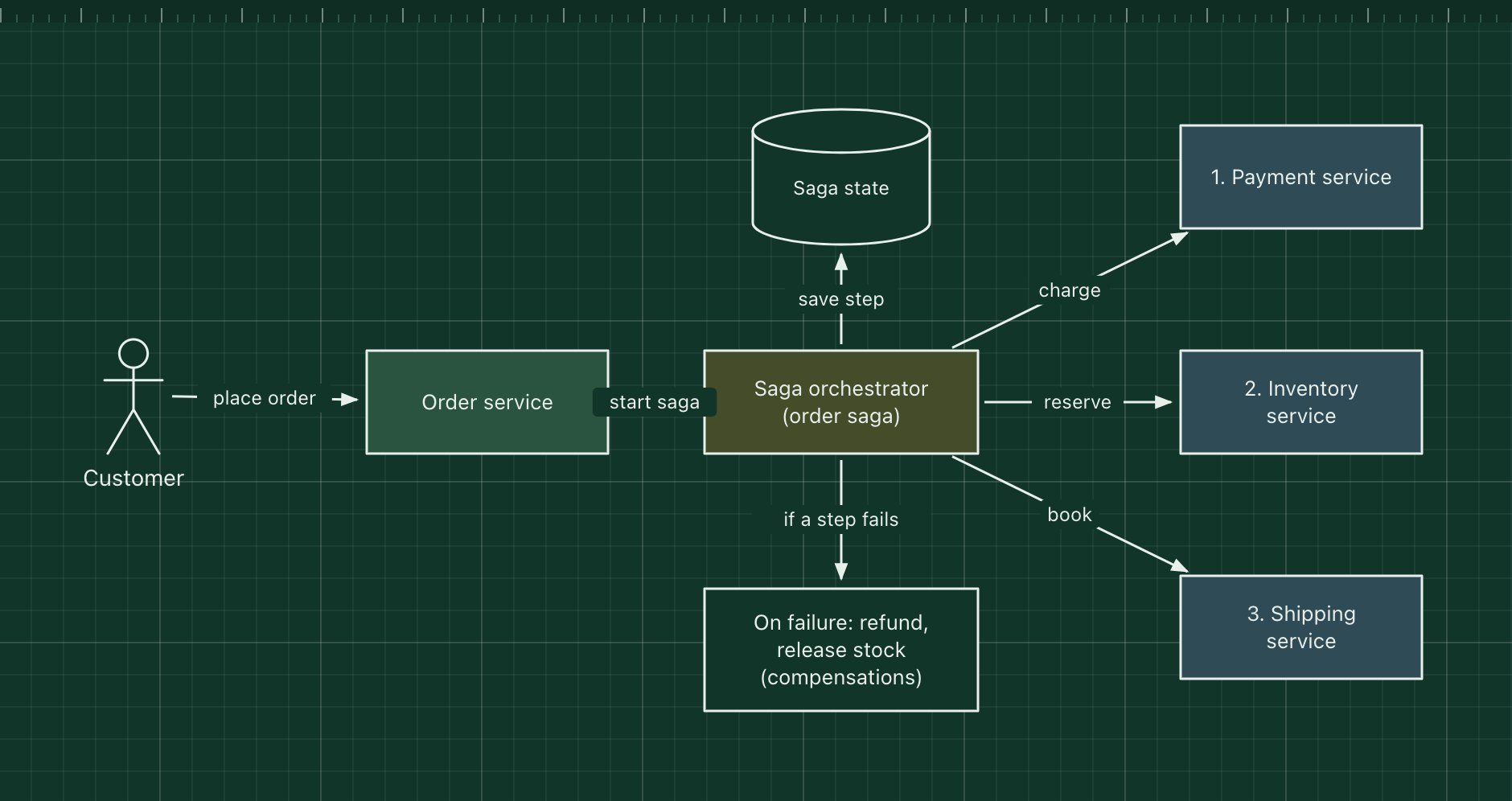
A saga runs a business transaction that spans several services as a sequence of local transactions, one per service. If a step fails, the saga runs compensating transactions to undo the steps that already succeeded, such as refunding a payment or releasing reserved stock. It replaces a distributed two-phase commit, which most modern databases and brokers do not support across services.
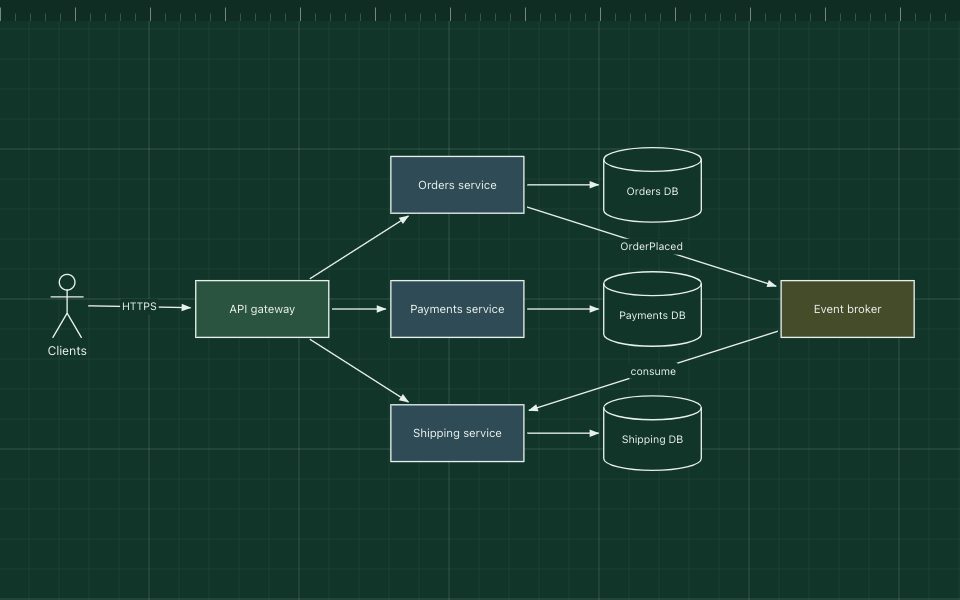
Sagas come in two styles. In orchestration, shown here, a central orchestrator tells each service what to do next. In choreography, each service listens for the previous step's event and publishes its own, with no central coordinator.
The parts of the pattern
- Saga orchestrator
- Knows the steps and their order, sends commands and decides what happens after each reply.
- Participants
- Payment, inventory and shipping services. Each runs its step as a local transaction.
- Saga state
- Where the orchestrator records progress so it can resume after a crash.
- Compensating actions
- Business-level undo steps: refund, release, cancel. They must be safe to retry.
How it works
- The order service creates a pending order and starts the order saga.
- The orchestrator asks payment to charge the card, then inventory to reserve stock.
- Shipping cannot book a delivery, so the step fails.
- The orchestrator runs the compensations in reverse: release the stock, refund the payment.
- The order is marked as failed, and the customer is told.
When to use it, and when not to
Good fit
- A business process must stay consistent across services that each own their data.
- Steps take time or involve outside systems, such as payments and couriers.
- You can define a meaningful undo for each step.
Think twice
- The data could live in one service and use one database transaction instead.
- Steps cannot be compensated, for example a sent email: order them last, or rethink the boundary.
- Choreography across many services with no one able to see the whole flow.
Edit this diagram
Click Open the diagram in the editor to get your own copy, saved in your browser. Rename the boxes to match your system, swap the generic boxes for technology icons from the palette, then export a PNG, SVG or PDF, or share a link. No sign-up.