LAMP stack architecture
The classic web stack: Linux, Apache, MySQL and PHP, still behind a large share of the web.
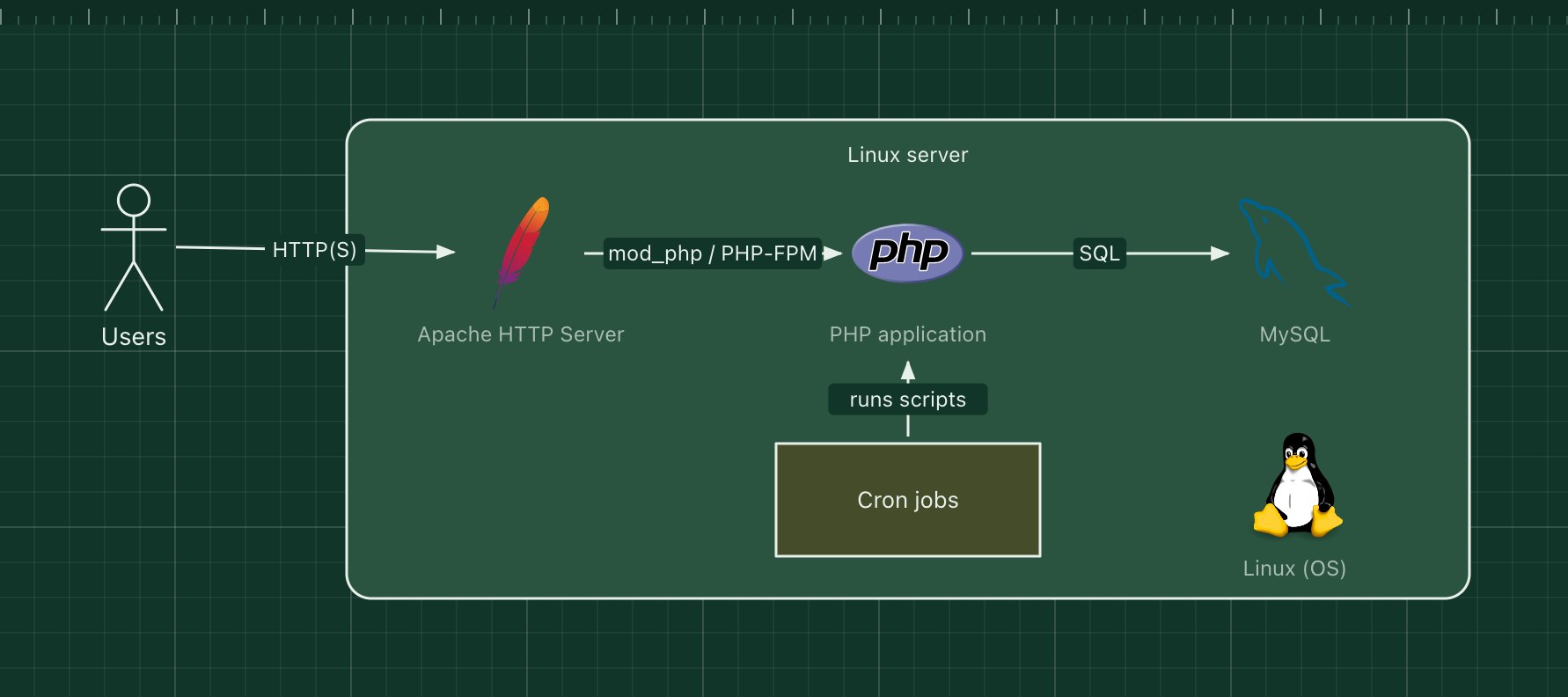
LAMP stands for Linux, Apache, MySQL and PHP: an operating system, a web server, a database and a language. It powered the first wave of dynamic websites and still runs WordPress, Drupal, MediaWiki and many custom applications. Everything is open source and available from any hosting company.
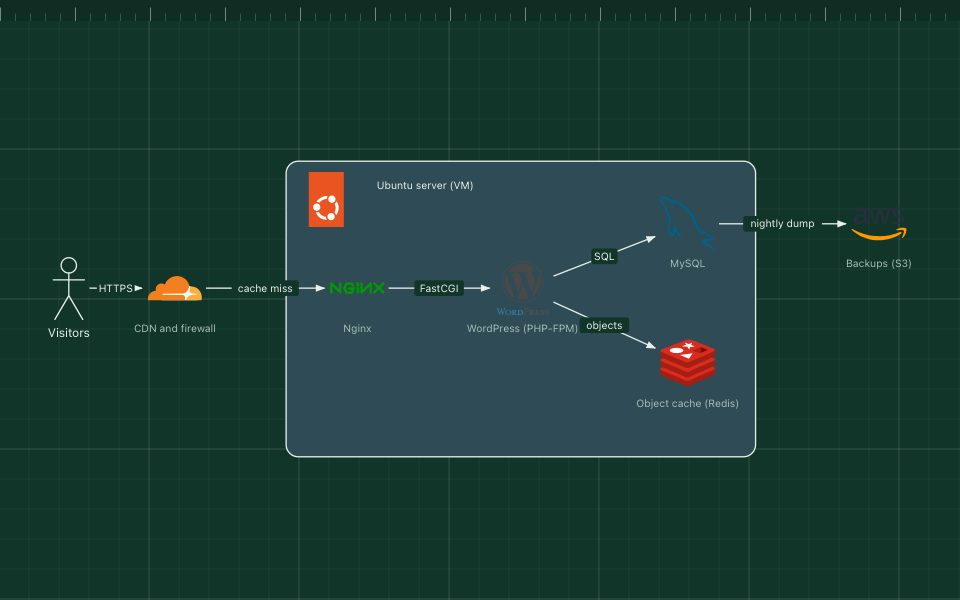
Apache receives each request and hands PHP files to the PHP interpreter, either inside Apache (mod_php) or through PHP-FPM. The PHP code queries MySQL or MariaDB and returns HTML. Replace Apache with Nginx and you have the LEMP stack.
What the stack is made of
- Linux
- The server operating system, usually Ubuntu, Debian or a RHEL-based distribution.
- Apache HTTP Server
- Serves static files, handles TLS and per-directory .htaccess rules, and runs PHP.
- PHP
- The application language. Modern apps use frameworks such as Laravel or Symfony and Composer packages.
- MySQL or MariaDB
- The relational database.
- Cron
- Runs scheduled jobs such as cleanups, reports and emails.
How a request flows through it
- A browser requests /products?page=2.
- Apache matches the URL, applies rewrite rules and passes the request to PHP.
- The PHP code queries MySQL for the products and renders an HTML page.
- Apache sends the page back; static images and CSS are served by Apache directly.
When to use it, and when not to
Good fit
- Content sites and CMSs such as WordPress and Drupal.
- Cheap, simple hosting on almost any provider.
- Teams with PHP experience building server-rendered applications.
Think twice
- Very high concurrency on small servers, where Nginx with PHP-FPM uses less memory (the LEMP stack).
- Real-time features such as live chat, which need a separate WebSocket service.
- Hand-built servers with no automation for security patches.
Edit this diagram
Click Open the diagram in the editor to get your own copy, saved in your browser. Rename the boxes to match your system, swap any technology for the one you use from the icon palette, then export a PNG, SVG or PDF, or share a link. No sign-up.